If you're managing a property with a ring of master keys, spare keys, vendor keys, and old keys that nobody wants to admit still work, you already know the problem. A tenant moves out. A contractor finishes a job. An employee leaves. Then someone asks the uncomfortable question: who still has access?
That’s where an electronic access control system starts to make sense. It doesn’t just replace a metal key with a card or phone. It gives you a way to decide who can enter, where they can go, when they can enter, and what record you’ll have afterward. For property managers, that shift matters because security and operations are tied together. When access is easier to manage, your building is safer and your day gets simpler.
Moving Beyond the Master Key
A lot of upgrades begin with frustration, not strategy.
A property manager in a mixed-use building might deal with retail tenants on the ground floor, office staff upstairs, janitorial crews after hours, and delivery drivers who need limited access at odd times. With traditional keys, every change creates work. A lost key becomes a re-key discussion. A copied key becomes a trust problem. A tenant turnover becomes a scramble.
When keys create more work than protection
Physical keys look simple until you manage them at scale. Then the weak points show up fast.
- Lost keys create uncertainty: You usually can't tell whether a key was misplaced, copied, or taken.
- Re-keying affects budgets: One missing key can turn into a locksmith bill and disruption for multiple users.
- Access stays vague: You may know who should have a key, but you often can’t confirm who used one.
- Turnover gets messy: Staff changes, vendor changes, and tenant changes all create loose ends.
Those problems aren't rare. They're normal in office buildings, apartment communities, retail centers, and construction sites.
Physical keys make access hard to control because once they leave your hand, they often leave your visibility too.
Access becomes something you can manage
An electronic access control system changes the conversation. Instead of asking, “Who might still have a key?” you can ask, “Who currently has permission?” That’s a much better question.
You can issue a card, a fob, a mobile credential, or another approved credential. If someone leaves, you deactivate it. If a vendor only needs weekend boiler-room access, you can set that schedule. If a resident loses a credential, you replace it without changing hardware across the whole building.
That’s one reason the market has grown so strongly. The global electronic access control systems market was valued at US$ 14.64 billion in 2023 and is projected to reach US$ 32.5 billion by 2033 at a CAGR of 8.3%, with commercial sectors projected to capture a 32% revenue share, according to Fact.MR’s electronic access control system market report.
For a property manager, that growth matters less as a headline and more as a signal. It tells you this isn't niche equipment anymore. It's part of normal building operations.
How an Electronic Access Control System Works
The easiest way to think about an electronic access control system is as a digital doorman. It checks credentials, compares them against rules, and decides whether a door should open.
That sounds technical, but the logic is straightforward.

The four-step flow at the door
A person presents a credential
This might be a key card, key fob, mobile app, or biometric identifier. The user is basically saying, “I’m requesting access.”The reader captures that request
The reader at the door scans the credential and sends the information into the system.The system checks the rules
The controller or panel reviews the request against stored permissions. Is this person authorized for this door? Is it the right time of day? Is their credential active?The door responds and the event is recorded
If the request is approved, the lock releases. If it’s denied, the door stays secure. Either way, the system records what happened.
Why this matters in real property operations
That record is one of the biggest differences from old-school keys. If a door was opened at an unusual hour, you can review the event. If a cleaning crew says they couldn’t get into a suite, you can verify whether the credential worked, was denied, or was used at the wrong door.
In a Los Angeles office tower, that may help with tenant complaints and after-hours vendor access. In a San Francisco residential building, it may help staff verify amenity use or manage side entrances. In a construction environment, it can help control who entered a tool cage or trailer.
Practical rule: If you can’t answer “who accessed what and when,” you don’t really control access. You just hope the right people are using the right doors.
It’s doing more than opening a lock
A modern system doesn't just grant access to a door. It also supports day-to-day management decisions.
For example:
- A property team can deactivate credentials quickly after a resident move-out or employee separation.
- A facilities manager can create schedules so vendors only enter during approved windows.
- A security team can review activity logs when there’s a report of unauthorized entry or a door left unsecured.
That’s why the system is useful even when nothing goes wrong. It helps you run the property with fewer blind spots.
The Key Components of a Modern Access System
Once you understand the logic, the hardware makes more sense. An electronic access control system is really a group of parts working together, not one magic box.
Here’s the equipment most property managers will encounter.

Credentials, readers, and locks
The first part is the credential. That’s the “digital key” the user carries or presents.
Common examples include:
- Cards and fobs: Familiar, simple, and easy to issue
- Mobile credentials: Stored on a smartphone
- Biometric identifiers: Such as a fingerprint or facial scan where appropriate
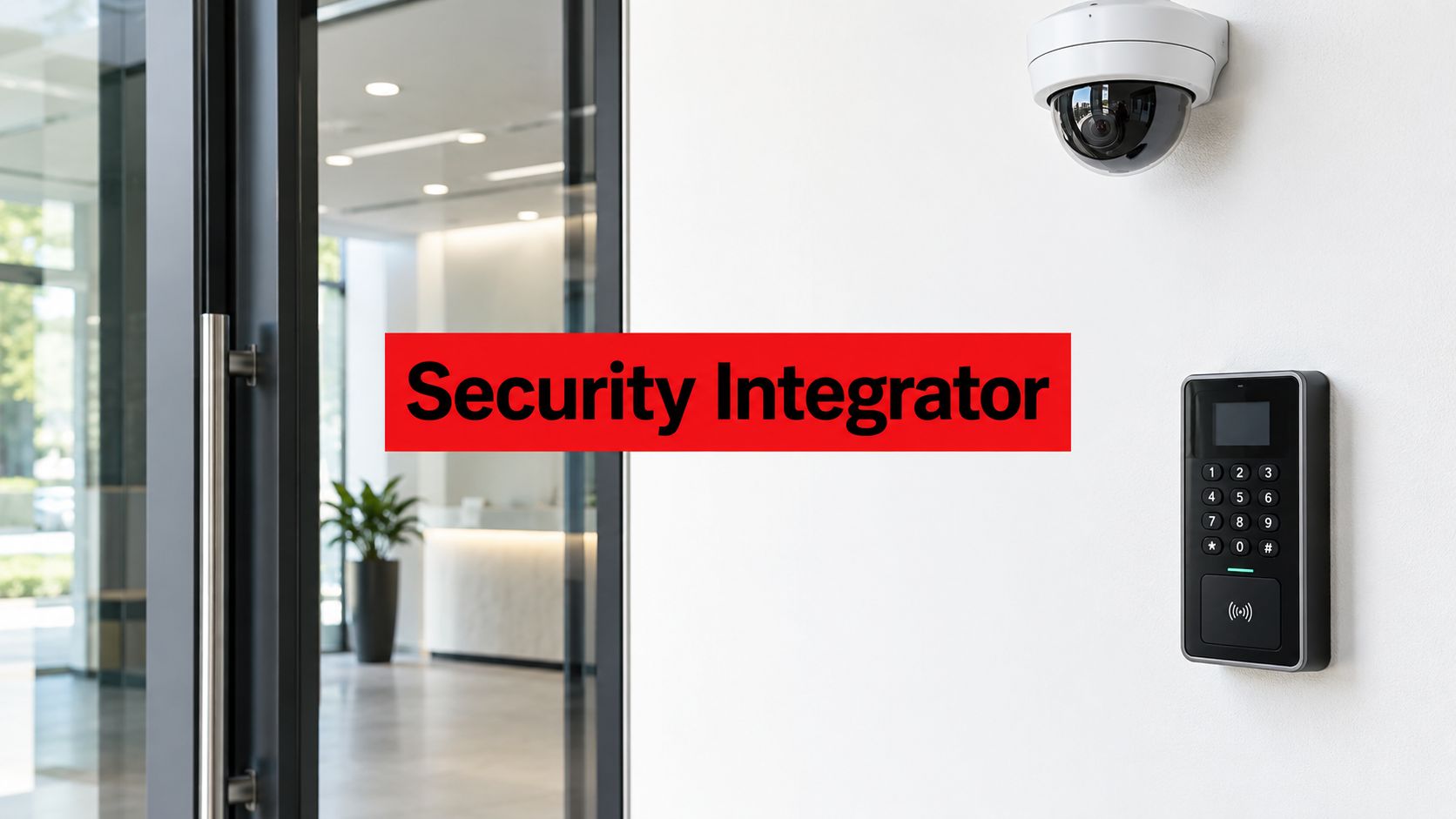
The second part is the reader mounted near the door. It captures the credential and passes the request into the system.
Then there’s the locking hardware. Depending on the opening, that may be an electric strike, magnetic lock, or another controlled locking device. This is the physical part that keeps the door secure until the system authorizes release.
The control panel is the brain
The control panel is where many people get confused, because they assume the reader makes the decision. Usually, it doesn’t. The panel or controller is the decision-maker.
Electronic access control panels act as the centralized brains of the system, storing credential data and processing access requests. Modern IP-based panels can handle over 10,000 users and 500 doors, store up to a year of event logs, and have been associated with an 85% reduction in breach incidents compared to mechanical keys, according to Avigilon’s explanation of electronic access control panels.
For a property manager, that means one platform can support a surprisingly large building or portfolio if it’s designed properly.
Management software is where your team works
This is the part you and your staff will use most often. The management software lets an authorized administrator:
- Add or remove users
- Set schedules for doors
- Create access levels by role
- Review event history
- Respond faster to lost credentials
If you’re coming from a purely physical-key setup, the biggest operational change will be evident. Access moves from a locksmith task to an administrative task.
People who work in both physical and digital security often find that understanding IAM concepts helps clarify why permissions, roles, and identity rules matter so much in building security too.
What property managers should inspect closely
When reviewing equipment proposals, don’t just look at the reader on the wall. Ask what sits behind it.
A useful checklist includes:
- Panel capacity: Can it support your current doors and future expansion?
- Log retention: How long are events stored, and how easy are they to retrieve?
- Credential flexibility: Can the system support cards now and mobile credentials later?
- Door compatibility: Will it work with the specific doors and frames on your property?
For a practical look at the hardware categories involved, this overview of access control devices helps show how the pieces fit together in the field.
Choosing the Right Type of Access Control System
Most property managers don’t need every available feature. They need the right fit.
The selection usually comes down to two decisions. First, what credential method makes sense for your users? Second, what kind of system architecture fits your building operations and budget?

Card, mobile, or biometric
Each option solves a different problem.
Card-based systems
Cards remain common because they’re familiar and practical. Front desk teams can issue them quickly. Users understand them immediately. Replacement is usually simple.
Card-based access control systems hold a 48% market share in 2025, and hardware holds 55% of the global market that same year, according to Precedence Research on the electronic control access systems market.
That dominance makes sense. Card systems are reliable, cost-conscious, and easier to roll out across a broad tenant or employee population.
They tend to work well for:
- Commercial office buildings
- Retail service corridors
- Multi-tenant industrial properties
- Residential communities that want straightforward credential management
Mobile access
Mobile credentials are attractive because many users already carry a phone everywhere. That can reduce the hassle of forgotten cards and make credential issuance more flexible.
This approach often fits buildings that want a more modern user experience, especially where convenience matters. High-rise residential communities, newer office properties, and amenity-rich mixed-use sites often like mobile access because it feels cleaner and less dependent on physical handoffs.
The tradeoff is practical, not philosophical. You need to think through phone compatibility, user onboarding, and how you’ll handle visitors or residents who prefer a physical credential.
Biometric access
Biometric readers can provide stronger identity verification for the right application. They’re often considered for sensitive spaces like certain healthcare, data, or restricted operational areas.
But they’re not automatically the right answer for every front door. They can involve more planning, more user education, and more policy decisions. In many buildings, a property manager may use biometrics only at select locations rather than everywhere.
If the wrong person can easily borrow a credential, higher identity assurance may matter more than convenience.
On-premise or cloud-based
The second choice is about where the system is managed.
Here’s a simple comparison:
| System style | Best fit | Common appeal | Common concern |
|---|---|---|---|
| On-premise | Properties that want local control over infrastructure | Greater direct control over servers and system environment | More internal responsibility for maintenance and updates |
| Cloud-based | Multi-site portfolios and teams that want easier remote administration | Simpler remote access, centralized management, and easier scaling | Ongoing software costs and reliance on vendor platform structure |
An on-premise system may appeal to a facilities team with established IT resources and clear internal policies. A cloud-based system may be easier for a regional property group that needs to manage buildings in San Diego, San Jose, and Sacramento from one dashboard.
Match the system to the job
The right answer depends on who uses the building and how often permissions change.
A quick way to think about it:
- Stable user base, fewer changes: Card-based systems may be perfectly adequate.
- Frequent onboarding and offboarding: Mobile or centrally managed platforms may reduce admin friction.
- Sensitive internal areas: Biometric readers may make sense at selected doors.
- Multiple sites: Cloud-based management often simplifies oversight.
- Single site with internal technical support: On-premise can still be a strong fit.
If you want a broader overview of how these models differ, this guide to types of access control is a useful planning reference.
Core Benefits for Commercial and Residential Properties
The full value of an electronic access control system is realized in daily operations. It helps security, but it also helps your property function with less friction.
That matters because property managers aren’t just trying to stop bad outcomes. They’re also trying to keep tenants, residents, vendors, and staff moving through the building without constant workarounds.
What commercial properties gain
In commercial settings, controlled access usually starts with role separation.
A tenant may need lobby and suite access, but not roof access. A janitorial team may need after-hours entry, but not server room access. A vendor may need a loading area and equipment room, but only on scheduled days.
That kind of structure helps with:
- Vendor management: Temporary permissions can be issued without giving away broad building access.
- Sensitive area control: IT rooms, management offices, storage rooms, and service corridors can be limited by role.
- Accountability: Entry records support internal reviews when a door is used outside normal expectations.
- Tenant confidence: Occupants notice when access is orderly, not improvised.
In retail centers, this can reduce confusion around shared service corridors and back-of-house areas. In medical office buildings, it helps separate patient-facing areas from restricted operational spaces.
What residential communities gain
Residential properties care about security, but convenience carries equal weight.
Residents want entry that feels smooth. They don’t want to wait on key replacements, chase management for amenity access, or wonder whether a former roommate still has a working credential. Staff want cleaner control over pools, gyms, package rooms, garages, and side gates.
A good access system should reduce office interruptions, not create new ones.
Typical residential wins include:
- Faster move-in and move-out transitions
- Amenity control for authorized residents
- Temporary access for guests, dog walkers, cleaners, or deliveries
- Simpler handling of lost credentials
- Better visibility into recurring access problems at gates and doors
For HOAs and apartment communities, that often translates into fewer manual exceptions and fewer awkward conversations about copied keys.
The biggest operational benefit is often administrative
Many managers start this process thinking mostly about unauthorized entry. Then they discover the bigger payoff is time.
Tasks that used to require calls, key handoffs, and locksmith coordination can often be handled through the software by an authorized administrator. That doesn’t eliminate responsibility. It makes it more manageable.
A well-run system can help your team:
- Deactivate access immediately when needed
- Standardize permissions across staff and vendors
- Reduce key inventory headaches
- Document entry activity when incidents happen
That combination is why these systems improve both security and service. The property gets safer, and your team spends less time patching avoidable access problems.
A Practical Guide to Implementation and Integration
The installation itself matters, but the planning matters more.
The best electronic access control system projects usually begin with a careful walk-through, not a product catalog. Before anyone talks about readers or credentials, someone needs to understand the building, the users, the choke points, and the places where daily operations break down.

Start with the site, not the hardware
A solid rollout usually follows three practical phases.
Site assessment
Walk the property and identify actual access points, not just official ones. Teams often discover doors that are propped, gates that are inconsistently used, or side entrances that became part of normal traffic flow.
At this stage, ask questions like:
- Which doors need controlled access now
- Which doors may need it later
- Who uses each opening
- What schedules accurately reflect building life
- Where do deliveries, visitors, and vendors create confusion
System design
Once the site is understood, the system can be designed around reality. At this stage, door schedules, user groups, credential types, and integration needs are mapped out.
In IP-based systems, an IPBridge can connect readers and sensors using Power over Ethernet, reducing wiring complexity by up to 70% and processing credential data locally before relaying it to a central server. In enterprise deployments, this architecture can reduce unauthorized entry risks by up to 95%, according to Allegion’s IPBridge specifications.
For older properties, that matters because wiring can be one of the biggest practical barriers to upgrading. Simpler cabling can make a phased rollout more realistic.
Installation and configuration
Physical devices are installed, tested, and tied to the access rules your team will use. Good installers don’t stop at “door opens.” They verify timing, permissions, door position behavior, and how alerts will be handled.
The system gets stronger when people are part of it
Technology works best when it supports human response.
If a door is forced or held open, somebody still has to decide what happens next. In many properties, that may mean a front desk team member checks the event. In others, an onsite officer investigates. In larger or more complex environments, a remote monitoring team may verify the alert and coordinate response.
Integration matters. Access data becomes more useful when it connects to guard activity, incident reporting, and surveillance review. Instead of separate tools producing separate alerts, the property team can work from one clearer picture.
One practical example is security system integration planning, where access events, cameras, and operational workflows are designed to support each other rather than run as isolated systems.
Human oversight closes the loop
At many California properties, the strongest model is a blended one.
A guard can use access permissions to manage visitor flow at a lobby or gate. A SOC can review after-hours alerts and escalate when something looks wrong. A property manager can use logs and reports to spot recurring problems before they turn into incidents.
That’s different from buying hardware and hoping it solves everything on its own.
The system opens and closes doors. People decide what to do when behavior falls outside the rules.
Used that way, an electronic access control system doesn’t replace security personnel. It gives them better information and gives property managers better control.
Budgeting and Procuring Your Access Control System
Most access control proposals look simple at first glance. Then the details start stacking up.
A realistic budget has to include more than door readers and credentials. If you only compare the top-line equipment number, you can end up approving a system that costs more to operate, maintain, or expand than you expected.
Think in total cost of ownership
A practical budget review usually includes four categories.
- Hardware costs: Readers, panels, locks, power supplies, credentials, and related door hardware
- Software costs: Licensing, user management platform fees, and any recurring subscriptions
- Installation labor: Wiring, door prep, mounting, programming, testing, and training
- Support and maintenance: Service calls, updates, credential replacement, and ongoing administration help
Cloud systems and on-premise systems often distribute those costs differently. One may have a lower upfront infrastructure burden and more recurring fees. Another may require more local equipment and more direct responsibility from your team.
That’s why the cheaper proposal on day one isn’t always the cheaper system over time.
Questions worth asking before you sign
A good procurement process gets specific quickly.
Ask vendors questions like these:
- What exactly is included in the proposal: Hardware only, or programming and user setup too?
- What happens after installation: Is training included for property staff?
- How are service calls handled: Who responds when a reader fails or a door stops releasing properly?
- What are the recurring costs: Licensing, hosting, support contracts, or software updates?
- How easy is expansion: Can you add doors, gates, or user groups without redesigning the entire system?
- Who owns the data and credentials: Especially important in systems with hosted management
- What integrations are supported: Cameras, alarms, visitor workflows, or guard reporting tools
Build the business case around operations
Ownership groups and boards often respond best when the conversation goes beyond “security upgrade.”
A stronger business case usually includes:
- Reduced re-keying and key replacement headaches
- Faster onboarding and offboarding for tenants, staff, and vendors
- Better visibility during incident review
- More professional tenant and resident experience
- A platform that can support future building operations
For commercial and residential managers alike, procurement goes better when the scope is tied to actual building use. Start with the highest-priority doors, user groups, and recurring pain points. Then price the project in phases if needed.
That keeps the budget discussion grounded in operations, not just equipment.
Building a Smarter, More Secure Property
Keys used to be the default because they were familiar. For many properties, they’re now the least efficient way to manage access.
An electronic access control system gives you clearer control over who enters, where they can go, and how changes are handled. The system also generates a vital record. That alone changes how a property team responds to tenant turnover, staff changes, vendor scheduling, amenity management, and incident review.
The strongest results usually come from combining technology with real oversight. A credential system can enforce the rules, but trained people still matter. Guards, property teams, and remote monitoring staff turn alerts and logs into action. That’s where a security program becomes more than a hardware purchase.
If your team is reviewing vendors, hardware platforms, or rollout plans, it also helps to understand the broader discipline of managing embedded system development risks, because many access devices rely on embedded components that affect reliability, maintenance, and long-term support.
For property managers in Los Angeles, San Diego, San Jose, San Francisco, Sacramento, Long Beach, and beyond, the right upgrade isn’t just the newest device. It’s the system that fits your building, your staff, your residents or tenants, and the way your security operation runs.
If you're planning your first major access upgrade, Overton Security can help you evaluate your property, identify the right access points, and build a practical security plan that ties technology to real-world operations.