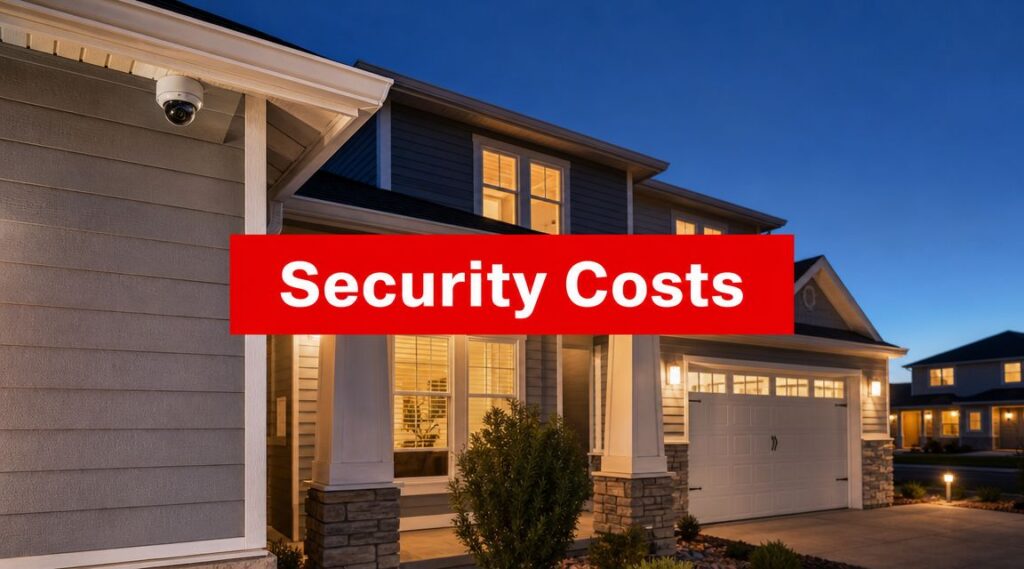
Professional home security monitoring typically costs $20 to $80 per month, while equipment can range from a basic DIY setup starting around $130 to professionally installed systems at $2,000 or more. For property managers, that makes monitoring a real operating expense, not a small add-on, and usually the cost line that matters most over time.
If you're reviewing next year's budget for an HOA, an apartment complex, or a mixed-use residential property, you already know the problem. Residents want visible security. Boards want clear justification. Ownership wants controlled costs. And nobody wants to explain after an incident why the property chose the cheapest option instead of the right one.
That's why a single-family pricing article won't help much. A community has gates, garages, pools, package rooms, lobbies, vacant units, and liability exposure across shared spaces. The key question isn't just what home security monitoring costs. It's what level of monitoring makes sense for a multi-unit property, and what corners you should never cut.
Why Understanding Security Costs is Critical for Property Managers
A property manager usually starts this conversation in one of two moments. Either you're building an annual operating budget and trying to defend every line item, or you're responding to a theft, trespassing issue, break-in, vandalism complaint, or resident pressure after a near miss.
In both situations, security spending needs to be treated like a core property function. Not a luxury. Not a marketing extra. Not something you bolt on after a problem gets worse.
Resident expectations have changed
Security adoption is broad now, not niche. Insurify's home security statistics roundup notes that 61% of U.S. households had at least one security camera in 2026, up from 52% in 2024, and that the average American uses three different home security measures.
That matters for apartment communities and HOAs because residents bring those expectations with them. If people are used to cameras, app alerts, video doorbells, and monitored systems at home, they expect comparable protection in shared residential environments too.
Your costs aren't just about hardware
For a property manager, the budget question is bigger than cameras and alarms. You're paying for:
- Operational reliability: The system has to work when staff is off-site, asleep, or handling another issue.
- Response structure: Someone needs to receive alerts, verify events, and decide what happens next.
- Liability management: Common areas create exposure that a single-family house doesn't have.
- Resident confidence: Security failures become leasing problems, board problems, and reputation problems.
Practical rule: If a security cost only looks good on the day you sign the contract, it probably won't look good six months later.
A smart first step is to start with a formal security risk assessment for your property. That gives you a basis for deciding where monitoring matters most, instead of paying for blanket coverage that doesn't match the way your community operates.
Budgeting beats reacting
Reactive security is always more expensive in practice. You lose time, credibility, and flexibility. When a board asks why monitoring fees exist month after month, the right answer is simple: they buy consistency.
Property managers who understand security costs early make better decisions on camera placement, gate coverage, after-hours response, and vendor selection. They also avoid the most common mistake in this category, which is buying equipment first and figuring out the monitoring plan later.
Deconstructing Your Total Security Investment
A property manager approves a low equipment quote, then gets hit with years of monitoring fees, add-on services, and setup charges that were barely discussed during procurement. That mistake is common, and it is avoidable. Budget security in three separate buckets: equipment, monitoring, and installation.

Upfront equipment costs
Equipment gets the most attention because it is visible and easy to compare on a quote. It usually includes cameras, sensors, control panels, entry devices, and supporting hardware.
As noted earlier in the article, NerdWallet's cost guide shows that consumer systems can start fairly low and rise quickly with professional installation and added devices. For HOA communities, apartment properties, and multi-building sites, that consumer baseline is only a starting reference. Shared entries, parking areas, elevators, package rooms, clubhouses, pools, and perimeter gates push the device count up fast.
That is why property managers should stop asking, “What does a security system cost?” and start asking, “What coverage gaps are we funding?” A small camera package for a single-family house does not translate cleanly to a residential community with multiple access points and liability exposure across common areas.
Recurring monthly monitoring fees
This line item deserves the hardest review because it shapes the true cost of ownership.
Earlier in the article, NerdWallet notes that professional monitoring typically costs more each month than self-monitoring, and that difference compounds over time. For residential communities, the recurring fee often matters more than the opening invoice because you are paying for ongoing alert handling, event review, escalation, and after-hours coverage across a larger footprint.
Cheap hardware paired with the wrong monitoring plan becomes an expensive program. You end up paying monthly for a service model that does not match the property's actual risks.
Property managers comparing options should look closely at how a remote alarm monitoring system handles verification, escalation, and response coordination. Monitoring is not just a signal sent to a phone. In a multi-unit property, it is part of an operating process that affects incident response, staff workload, and resident complaints.
In many communities, monitoring also needs to work alongside other paid services, such as mobile patrols or on-call guard response. Consumer pricing guides usually ignore that layer. Property managers cannot afford to.
Installation and setup charges
Installation is where underbudgeting creates operational problems later. The consumer market may advertise low setup pricing, but community properties are rarely simple installs.
A gated entrance, older wiring, detached garages, concrete construction, poor network coverage, or a need to integrate cameras with access control all add labor and configuration time. If the system is installed badly, you will pay for it twice. Once during setup, and again in service calls, false alarms, blind spots, and resident frustration.
Use a simple budgeting framework:
| Cost category | What it covers | Why it matters most |
|---|---|---|
| Equipment | Cameras, sensors, panels, access devices | Sets the coverage scope |
| Monitoring | Alert handling, dispatch workflow, platform services | Drives long-term operating cost |
| Installation | Deployment, setup, testing, configuration | Determines reliability and usability |
Keep those buckets separate in every proposal. That is how you spot a quote that looks inexpensive only because the vendor buried costs in the contract term, service package, or future expansion work.
Key Factors That Influence Your Monitoring Cost
Two properties can buy “monitoring” and end up with very different invoices. That isn't arbitrary. The monthly price moves based on what the system has to support.

Feature density changes the price
A useful market baseline comes from Titan Alarm's explanation of monitoring plan pricing. It states that professional home security monitoring typically falls in the $20 to $60 per month range, while plans that add cloud video storage, smartphone alerting, and automation can increase prices to $70 to $80 per month or more. The article also explains that those higher prices are driven by the backend costs of greater feature density.
That logic applies directly to residential communities. Basic alarm dispatch is one service. Video retention, app access, smart notifications, integrated devices, and layered detection are a different service package.
The main cost drivers for multi-unit properties
For HOAs and apartment complexes, these variables usually have the biggest impact:
- Property scale: More buildings, more entry points, and more shared spaces mean more devices and more events to manage.
- Common-area complexity: Parking garages, package rooms, gyms, and pools create separate monitoring needs.
- Verification requirements: A siren is one thing. Video verification before dispatch is another.
- User access: If onsite staff, regional managers, and board representatives all need visibility, the workflow gets more complex.
- Retention expectations: Storing and reviewing footage for incident follow-up adds ongoing platform burden.
Not all alerts are equally useful
Property managers should care less about the number of alerts and more about alert quality. A low-cost system that floods the office with constant notifications becomes background noise. Staff starts ignoring it. That defeats the point.
The right monitoring plan reduces decision fatigue. It doesn't dump every problem onto your leasing office.
A better approach is to match monitoring depth to risk zones. Use stronger coverage where the liability is highest, such as controlled access points, parking areas, package rooms, and amenities with repeated complaints. Use simpler monitoring where the consequences of a missed event are lower.
Ask better questions when comparing quotes
If you want to understand why one proposal is higher than another, ask these questions:
- What exactly triggers intervention? Motion, door contact, audio, schedule-based rules, or video review?
- Who receives alerts first? Your staff, a monitoring center, or both?
- What features are included in the monthly fee? Storage, app access, automation, user permissions, and report access all matter.
- How does the plan scale if the property adds coverage later?
If a vendor can't answer those questions clearly, the quote isn't ready for approval.
Choosing Your Monitoring Model DIY vs Professional
Property managers usually end up choosing between three models. Self-monitoring, professional monitoring, or a hybrid setup where monitored technology is paired with physical security services.

Self-monitoring works best on paper
Self-monitoring appeals to buyers because the monthly fee is lower or nonexistent. For a homeowner, that can be reasonable. For a property manager responsible for a community, it usually creates more problems than it solves.
Someone has to receive alerts after hours. Someone has to determine whether an event is real. Someone has to decide whether to call law enforcement, dispatch maintenance, contact a board member, or log the issue for morning follow-up.
That “someone” ends up being your team.
Professional monitoring is the safer default
Professional monitoring costs more, but it gives you a reliable chain of action. Alerts don't just arrive. They go somewhere defined. That reduces the risk of missed incidents, delayed response, or unclear accountability.
For most apartment communities and HOAs, that's the better operational choice. Staff turnover, vacation coverage, weekends, and overnight incidents make self-managed alert handling fragile.
Here's the practical comparison:
| Monitoring model | Main advantage | Main weakness | Best fit |
|---|---|---|---|
| DIY self-monitoring | Lower monthly cost | Burdens staff and creates response gaps | Very small, low-risk properties |
| Professional monitoring | Clear after-hours response structure | Higher recurring fee | Most residential communities |
| Hybrid model | Combines monitored tech with on-the-ground action | Requires more planning | Larger or higher-risk sites |
The hybrid model is often the right answer
A lot of properties don't need a full-time onsite officer, but they do need more than app notifications. That's where hybrid security makes sense.
For example, remote monitoring can watch cameras and alarms, while mobile patrol officers handle lock checks, suspicious activity follow-up, trespass response, or visible deterrence during high-risk hours. That model is often a better fit for larger communities, parking-heavy properties, and sites with recurring nuisance activity.
If you're comparing options, security camera monitoring for residential and commercial properties is one example of how monitored video can be structured as part of a broader operational plan.
If your security plan depends on one exhausted staff member noticing an alert on their phone, you don't have a monitoring plan. You have a hope-based plan.
My recommendation
For a small property with limited shared space and a highly responsive onsite team, self-monitoring can be acceptable in narrow use cases.
For most HOAs, condo communities, and apartment complexes, choose professional monitoring. If the property has repeated access issues, garage problems, package theft, or nighttime nuisance activity, go one step further and build a hybrid model around monitored tech plus patrol response.
Sample Cost Scenarios for Residential Properties
A community budget shouldn't start with a gadget list. It should start with risk concentration. Where do incidents happen, where does liability sit, and where does delayed response create the most pain?
A 50-unit HOA community
A mid-size HOA usually has a few obvious priorities. Front entry points, a small clubhouse or pool area, mailbox or package area, and parking zones tend to drive most resident concern.
A practical setup might focus on common areas rather than trying to monitor every corner of the property. The board wants coverage where disputes happen, where unauthorized entry occurs, and where a documented record is most useful after an incident.
The budget logic for this kind of site is straightforward:
- Keep the hardware focused: Prioritize entry points, amenity areas, and the parking area.
- Avoid overbuilding: You don't need a sprawling system if the property layout is compact and traffic is predictable.
- Choose professional monitoring if staff coverage is thin: Most HOAs don't have personnel available around the clock.
In this scenario, I'd advise treating the equipment spend as a one-time capital item and planning for the monitoring fee as part of annual operations. That keeps the board from approving cameras and then acting surprised by the recurring service cost later.
A 200-unit apartment complex
A larger apartment community changes the math. More residents mean more access events, more delivery traffic, more after-hours activity, and more complaints concentrated around a few repeat zones.
The usual pressure points are predictable:
- Controlled access points such as main gates, lobby doors, and garage entrances.
- Resident friction areas such as mailrooms, package rooms, and parking.
- Amenity zones where after-hours misuse or unauthorized access creates recurring issues.
- Perimeter visibility where trespassing or loitering tends to begin.
For this type of property, a bare-bones monitoring plan often disappoints. Management needs a system that helps staff verify events, resolve disputes, and respond consistently when the leasing office is closed.
Bigger properties don't just need more cameras. They need clearer rules for what happens when those cameras catch something.
What changes between the two properties
The difference isn't just size. It's operational burden.
A 50-unit HOA may be able to run a narrower monitoring footprint and reserve physical response for selected issues. A 200-unit apartment property usually benefits from layered protection, stronger overnight procedures, and some form of coordinated response beyond pure self-management.
When you're building your own budget scenario, don't ask, “What does a typical system cost?” Ask these three questions instead:
- Where are incidents most likely to occur?
- Who is responsible for alerts after business hours?
- What failure would be hardest to explain to residents or ownership?
That framework will give you a more useful number than any consumer calculator.
Practical Strategies to Optimize Your Security Budget
Cutting security costs blindly is easy. Optimizing them takes discipline. The goal isn't to spend less at any price. It's to spend where the property gets the most protection, accountability, and operational relief.

Spend in the right places first
Start with your highest-consequence areas. Garages, main entrances, package rooms, and amenities usually matter more than broad low-value coverage.
Use this priority order:
- Protect high-liability zones first: Focus on places where injury claims, disputes, or recurring incidents are most likely.
- Fund response, not just detection: A camera without a clear response process is only half a solution.
- Choose systems you can expand: A scalable platform is cheaper than replacing fragmented equipment later.
Bundle technology with service where it makes sense
Many communities get better value when they combine monitoring with mobile patrols or scheduled officer presence during problem hours. That can produce a more balanced program than paying for either cameras alone or guard coverage alone.
One example in the market is Overton Security, which offers remote monitoring, vehicle patrols, and site-specific security programs for California properties. For some communities, blending those services can be more practical than treating monitoring and physical presence as separate purchases.
Avoid common budgeting mistakes
Most wasted security spending comes from bad sequencing, not bad intent.
- Buying equipment before doing a risk review: Start with the threat pattern, not the vendor catalog.
- Letting the lowest monthly fee decide everything: Cheap plans often push work back onto staff.
- Ignoring operational ownership: If no one owns alert handling, the system will underperform.
- Overfitting to one recent incident: Build for recurring risk, not just the last complaint.
A helpful outside perspective is DLG Electrical's security system guide, especially if you want another plain-language breakdown of how equipment, installation, and ongoing service costs interact in real projects.
Budget advice: Buy the security program you can operate well, not the one that looks impressive in a proposal.
What I'd recommend to most property managers
If you manage a community property, do these five things in order:
- Conduct a real site risk review.
- Prioritize the handful of zones that create most incidents and complaints.
- Select monitoring based on after-hours responsibility, not daytime convenience.
- Add patrol support if the property has repeated nuisance activity or large exterior areas.
- Review scalability before signing any contract.
That approach won't always produce the cheapest number. It usually produces the better outcome.
Partnering for Smarter and More Effective Security
The central budgeting mistake in this category is treating security like a commodity. It isn't. For a residential community, security affects resident confidence, incident handling, staff workload, liability exposure, and the daily perception of whether the property is well managed.
That's why the cheapest option rarely wins in the long run. A low upfront price can still leave you with weak monitoring, blurred accountability, and a team that has to improvise after hours. Property managers don't need more improvisation. They need a system that supports predictable action.
Overton Security has 26 years of experience serving California properties, and that matters because community security is rarely solved by a one-size-fits-all package. The right plan usually blends technology, reporting discipline, and human follow-through in a way that matches the property's layout, risk profile, and budget realities.
If you're managing an HOA in Los Angeles, an apartment complex in San Jose, or a multi-site residential portfolio anywhere in California, the smart move is to budget for long-term value. Get the right monitoring structure. Define the response path. Make sure the program can scale.
Security should make your job easier, not more reactive.
If you're evaluating monitoring costs for a community, apartment complex, or HOA, contact Overton Security for a practical conversation about your property's risk points, monitoring options, and how to build a security program that fits your budget without leaving obvious gaps.