At 10 PM, your phone lights up with an alert from one of your properties. A vehicle has pulled into the back lot after hours. You're responsible for the site, but you're not there. You need to know whether it's a vendor running late, a resident picking something up, or the start of a real problem.
That's the gap remote security camera systems are built to close. They give property managers, HOA boards, facilities teams, and multi-site operators a way to see what's happening without driving across town or waiting until morning to review footage.
For commercial buildings, apartment communities, retail centers, and construction sites, that kind of visibility matters. Not because cameras solve every security problem by themselves, but because they help you make better decisions faster. When they're paired with professional monitoring and a response process, they become much more than digital witnesses.
Gaining Control Beyond Business Hours
At 10:47 PM, a tenant emails about a person near the garage door. Two minutes later, a door contact trips at the rear entrance. Then your maintenance line gets a message that the side gate did not latch. For a property manager, after-hours problems rarely arrive one at a time, and they rarely come with enough context to judge the risk.
That is where control usually starts to slip. Without a live view, you are piecing together a story from calls, alarms, and partial reports. Every alert can feel larger than it is, and a real threat can look routine until damage is done.
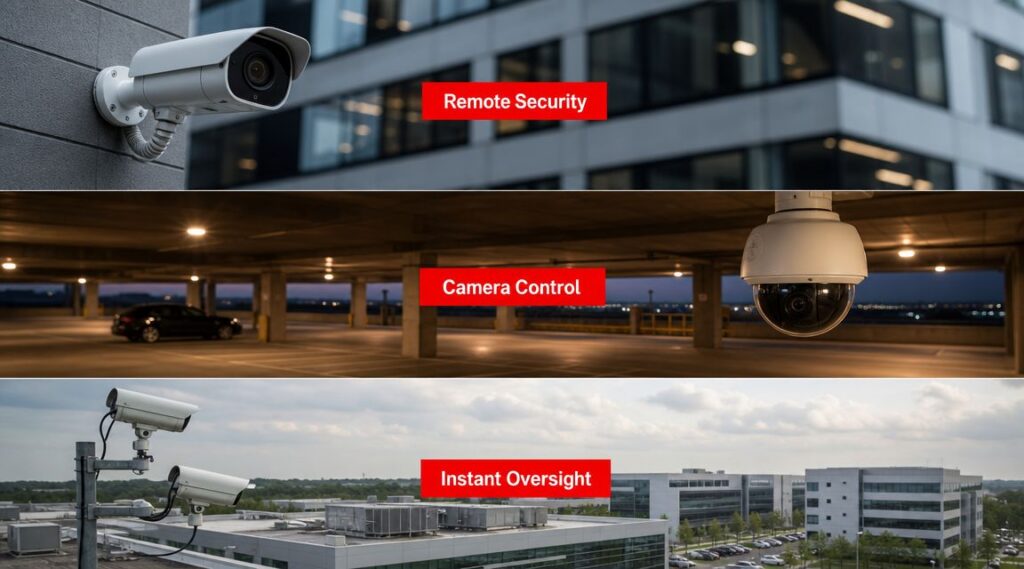
Remote security camera systems help by giving you immediate visual context. A phone, laptop, or tablet becomes a window into the property, so you can confirm what is happening before you decide who needs to respond. But the camera feed is only part of the answer. The stronger model pairs visibility with a defined response process, which is why many managers also compare camera coverage with remote alarm monitoring systems when building an after-hours plan.
Why this matters to managers
For property operations, the first benefit is not flashy technology. It is better judgment.
A camera can show whether the person at the loading area is a late vendor, a resident who forgot a fob, or someone testing doors. That distinction matters because each situation calls for a different response. You may need to log the activity, send maintenance, dispatch a guard, or contact law enforcement. Good security operations start with sorting those situations correctly.
A useful way to view it is this: cameras are the eyes, and the monitoring team is the decision filter. Eyes alone can record a problem. Trained people reviewing alerts in real time can help turn that information into action.
That difference matters after business hours, when on-site staff are limited and the cost of a wrong call rises. Sending someone across town for a harmless issue wastes time and budget. Ignoring a real intrusion because it looked minor on paper creates a much bigger problem.
A familiar example
Consider a mixed-use property with retail on the first floor and residents above. A motion event appears near the delivery zone at night. From a distance, that single alert does not tell you much.
It could be:
- A late delivery that fits normal operations
- A policy issue such as unauthorized parking or improper dumpster access
- A security incident involving trespassing, theft, or vandalism
The sound of the alert is the same in all three cases.
The difference comes from verification and response. If a live monitoring team can review the event as it happens, follow site instructions, and escalate based on what they see, the system starts doing more than collecting footage for tomorrow morning. It starts supporting active protection. For property managers, that shift matters because residents, tenants, and clients increasingly expect security to work as an operating system, not as a box of recordings waiting for someone to check them later.
Understanding Remote Security Camera Systems
Many still picture old CCTV when they hear the word “camera system.” They imagine a grainy monitor in a back office and footage that's hard to search, hard to access, and only useful after something has already happened.
A modern remote system is different. It's closer to a smart building tool than a closed-loop recorder.

The basic parts working together
At a practical level, most remote security camera systems include a few core pieces:
- IP cameras that capture digital video and send it over a network
- A network connection that carries the video, whether wired, wireless, or a mix of both
- A recorder or cloud platform that stores footage for later review
- Software or an app that lets authorized users view live feeds, replay events, and manage settings remotely
If that sounds a bit like a smart home setup, that's a useful analogy. The difference is scale, durability, and operational purpose. A property-grade system has to handle more cameras, longer retention requirements, more users, and more serious consequences if something goes wrong.
What makes a system “remote”
The word “remote” doesn't just mean the cameras are in another part of the building. It means authorized users can access the system from somewhere else.
That's the category-defining shift. Instead of walking into a security room to check a monitor, you can log in from your office, home, or another property. Modern systems let users view footage from smartphones, laptops, and tablets from anywhere with connectivity, which is one of the reasons this model replaced older passive setups as the standard approach to remote surveillance, as described in this overview of must-have security camera features.
Closed-loop versus connected
Here's where readers often get confused. Not every camera system with recorded video is remote.
Here's a basic overview:
| System type | What it does well | Main limitation |
|---|---|---|
| Closed-loop system | Records locally for on-site review | Limited access if no one is physically there |
| Remote-connected system | Allows live viewing and playback from elsewhere | Depends on sound network design and access controls |
A camera that only stores footage on site is mostly a recordkeeping tool. A connected system becomes an operational tool.
That distinction matters to a property manager because access changes behavior. If you can review events while they're unfolding, your choices improve immediately.
Key Benefits for Modern Property Management
A property manager often learns the value of a camera system at 10:47 p.m., not at 10:00 a.m. A gate is stuck open, a resident reports someone near the mailroom, or a delivery dispute lands in your inbox before sunrise. In those moments, the question is rarely “Do we have cameras?” It is “Can we confirm what is happening, and can someone act on it now?”
That difference separates surveillance from security operations.
For property teams, the business case usually comes down to three daily pressures: reducing uncertainty, limiting liability, and saving staff time. A useful system supports all three. It gives managers a faster way to verify events, document problems, and keep an eye on site conditions without being physically present at every property.
Where the value shows up in day-to-day management
The clearest benefits tend to appear in routine situations, not just major incidents.
Faster incident verification. Video helps managers check what actually happened when stories conflict. That could mean reviewing a vehicle complaint, confirming whether a vendor arrived on schedule, or checking whether an unauthorized person entered a side gate.
Stronger documentation for claims and disputes. Clear footage can reduce guesswork in insurance questions, resident complaints, and contractor disagreements. It does not answer every question, but it often narrows the facts quickly.
Better operational oversight. Cameras can confirm whether gates closed, common areas were cleaned, amenity spaces were used after hours, or trash enclosures are becoming a repeat problem. That turns the system into a management tool, not just a forensic record.
Improved coverage across multiple properties. Regional managers and ownership groups can review activity without driving from site to site. That is especially useful when one team oversees several buildings with limited on-site staff. Good security camera coverage planning for entrances, lots, and shared spaces matters here, because the benefit comes from seeing the right places, not by installing more devices alone.
More confidence for residents, tenants, shoppers, and staff. Visible cameras and a documented review process can reassure occupants that the property takes incidents seriously and has a way to check concerns.
The benefit changes by property type
The same hardware can support very different business goals.
At an apartment community, cameras often help with access control questions, package theft reviews, garage activity, and after-hours use of amenities. At a retail center, managers may care more about storefront visibility, service corridors, loading areas, and parking fields. On a construction site, overnight equipment areas and entry points usually matter more than customer-facing spaces.
That is why camera planning should start with operational problems. A system that is perfect for a shopping center may leave blind spots at a multifamily property.
Cameras help people decide. People still have to respond.
This is the part many buyers miss. Cameras are good at detection, verification, and documentation. Their value drops quickly if alerts sit unanswered or footage is only reviewed the next morning.
A practical comparison helps here. Cameras are like smoke detectors for visible activity. They can signal that something needs attention, but they do not investigate, call a trespasser out over audio, dispatch help, or brief law enforcement on their own.
For that reason, property managers should judge a system by the workflow wrapped around it. Live professional monitoring and response, such as a security operations center reviewing alerts and following an escalation process, closes the gap between seeing an event and doing something about it. Without that human layer, many systems function as after-the-fact evidence libraries. With it, they become part of active protection.
Good security video supports both operations and response. It helps you answer “what happened?” and “who is handling it now?”
Essential Features and Specifications to Evaluate
When vendors start talking about resolution, analytics, frame rate, and storage, it's easy to feel like you're shopping by acronym. The better approach is to translate each specification into a property question.
What do you need to see, how quickly do you need to access it, and what happens to the footage after it's captured?

Resolution and frame rate
Resolution affects how much usable detail you can pull from an image. A broad overview of a parking lot doesn't require the same level of detail as identifying a person at a side gate.
A practical benchmark from IP camera engineering guidance is that 1080p at 20 to 30 fps is generally sufficient for broad monitoring, while 4K is preferred when fine detail is required, but it also increases bandwidth and storage demand, according to this IP camera bandwidth guidance.
That leads to a simple buying question: are you trying to monitor activity, or identify a person or vehicle detail at a specific point?
Coverage versus detail
Managers often assume wider coverage is always better. It isn't, at least not by itself.
A wide field of view can reduce blind spots, but spreading one camera across too much space can make people and objects too small to identify clearly. In practice, you need a balance between overview cameras and tighter views aimed at choke points such as gates, doors, loading docks, and cashier zones.
If you're planning placement, this guide to security camera coverage is useful because it frames visibility in terms of site risk, not just hardware count.
Low-light performance and nighttime use
Many incidents happen in poor lighting. That's why low-light capability matters more than many buyers realize.
A camera that looks great at noon may struggle badly in a dim alley, garage, or service corridor. Ask for nighttime examples from a comparable property type. Don't judge performance only from bright showroom demos.
If the risk is after hours, the camera should be evaluated after hours.
Storage and access
Storage decisions shape how useful the system is later.
Here's a simple comparison:
| Option | Useful when | Tradeoff to consider |
|---|---|---|
| On-site NVR | You want local control and direct recording | Physical equipment still needs protection and maintenance |
| Cloud storage | You want easier remote access and off-site redundancy | Ongoing service structure and connectivity become more important |
| Hybrid approach | You want both local recording and remote accessibility | System design gets more complex |
Analytics and false alerts
Video analytics can help detect motion, people, vehicles, or activity in restricted areas. The key benefit isn't novelty. It's reducing noise.
A property manager doesn't need twenty meaningless notifications because a branch moved in the wind. Value lies in filtering routine movement from events worth attention. That's why feature lists should always be tied back to operational use. Ask what the system can detect, what it tends to misread, and how those alerts will be reviewed.
From Passive Recording to Active Protection
Many camera systems are sold as if the camera itself is the complete answer. In practice, that's where many deployments fall short.
A standalone system may record excellent footage and still fail at the moment you need help most. If an alert comes in at 2 AM and nobody sees it until 8 AM, the camera has done documentation. It hasn't done intervention.

The gap most buyers discover too late
The most important question isn't “How sharp is the video?” It's “Who sees the event, verifies it, and acts on it?”
Independent guidance on CCTV effectiveness makes this point clearly. Camera systems work best when paired with active monitoring and a response plan, rather than treated as a standalone deterrent, as discussed in this review of common security camera mistakes.
That's especially relevant for property managers. You're often responsible for multiple sites, vendor activity, resident concerns, and after-hours incidents all at once. You don't need more footage alone. You need a workflow.
What active protection looks like
A complete remote monitoring workflow usually has several layers:
Detection
A camera or analytic rule identifies motion, loitering, line crossing, after-hours entry, or another event tied to site policy.Alerting
The system sends a notification to a live operator or designated security contact.Verification
A trained person checks the live view to determine whether the event is real, routine, or false.Response
The operator follows a defined playbook. That could mean escalating to a patrol unit, contacting site leadership, using an audio warning, or calling law enforcement.Documentation
The event is logged with time-stamped details and supporting video for follow-up.
That sequence is what turns surveillance into security operations.
Why human oversight still matters
AI and analytics can be excellent at spotting motion patterns and exceptions. They are not the same as judgment.
A trash truck in the loading area at 4 AM may be suspicious at one property and completely normal at another. A person entering a courtyard might be a trespasser, a resident, or a cleaning contractor. Systems can flag movement. People decide what it means.
That's where a Security Operations Center changes the picture. For example, integrated security systems can combine cameras, alerting logic, and live operator review so the property team doesn't have to interpret every signal alone. Overton Security's model includes AI-triggered alerts reviewed by live SOC operators who verify events and coordinate next-step action based on site instructions.
Cameras are very good at seeing. Security teams are responsible for deciding and acting.
Passive versus active in the real world
A passive setup often answers questions the next day:
- What time did the person enter?
- Which direction did the vehicle travel?
- Did the gate fail before or after the incident?
An active setup aims to answer a more urgent question:
- What should happen right now?
That distinction matters most at apartment communities, parking structures, retail centers, and construction sites where minutes can change the outcome. If a system only records events, it may still be useful. But it remains incomplete.
Deployment and Compliance Considerations
A camera system can look excellent on a proposal and still fail on day one.
A common example is a property that installs high-resolution cameras at every entrance, then discovers the network drops frames at night, the loading dock is backlit into silhouette, and no one documented who is allowed to pull footage. The hardware is there. Control is not. Deployment is the stage where a surveillance plan becomes an operating system people can rely on.
Start with infrastructure, not camera count
Remote cameras depend on the same basics as any other business system. Power, network capacity, storage, user access, and ongoing health checks all have to work together. If one piece is weak, the whole setup becomes harder to trust.
Property managers often run into this problem by focusing first on how many cameras they want. A better starting point is operational need. How long must footage be retained? Who needs live access? Which alerts need immediate review by a monitoring team, and which events can wait for a manager the next morning? Those answers shape bandwidth, storage design, and permission settings far better than a device count ever will.
A practical deployment plan usually covers:
- Network capacity for live viewing, recorded video, and remote access without bottlenecks
- Power design so cameras, switches, and recording equipment stay online consistently
- Storage architecture based on retention rules, image quality needs, and retrieval speed
- Access controls that limit footage and system settings to approved users
- Device health monitoring so offline cameras are caught quickly, not after an incident
That last point matters more than many teams expect. A camera that went offline unnoticed two weeks ago creates the same blind spot as a camera that was never installed.
Placement should answer real site questions
Good placement is less about coverage maps and more about decision points. You are trying to answer practical questions such as: Who entered? Which vehicle left? Did someone cross into a restricted area? Can an operator verify what triggered the alert?
That changes how cameras should be positioned. An overview camera may show activity in a parking lot, but it may not provide the detail needed to verify a person at a gate or read the context around a vehicle at a service entrance. Wide coverage and usable evidence are related, but they are not identical.
For many properties, placement should be built around:
- Entries and exits where movement needs to be verified
- Shared areas where disputes, safety incidents, or after-hours activity may occur
- Perimeter gaps and service zones such as alleys, loading areas, detached garages, and maintenance corridors
- Higher-risk assets including equipment yards, cash handling points, and stock rooms
Privacy belongs in the design process too. Cameras should support safety without drifting into spaces where residents, tenants, visitors, or employees reasonably expect privacy. Clear field-of-view planning, masking where appropriate, and written camera purpose statements help prevent problems later.
Compliance is part of system design
Compliance does not begin after installation. It should be built into the deployment plan from the start.
Most organizations need to address notice, signage, footage retention, access permissions, incident documentation, and rules around audio recording or employee monitoring. Requirements vary by jurisdiction and by property type, so legal review is not optional paperwork. It is part of building a system that can stand up to scrutiny after an incident, complaint, or request for footage.
Signage, retention rules, and access logs are security controls. They support trust in the system and in the people using it.
If your team manages sites across regions, use a location-by-location checklist rather than assuming one policy fits all. Guidance such as compliance for UK business CCTV is useful for framing the issues that should be reviewed with counsel and local advisors.
Deployment should also define response ownership
One more point is often missed. A well-installed camera system still needs a clear response workflow.
If analytics flag motion at 2:13 AM, who reviews it? If a trespass event is verified, who contacts law enforcement or on-site staff? If a camera near a pool gate goes offline, who is notified and how fast? These are deployment questions, not post-installation details.
The gap between surveillance and security is evident. The camera captures the scene. A live monitoring workflow gives that scene meaning and turns verified events into action. For property managers, that usually means fewer ambiguous alerts, faster escalation, and a record of who saw what and when.
Your Vendor Selection Checklist
By the time you reach the proposal stage, the biggest risk is choosing a vendor based only on hardware and price. Cameras matter, but service model matters just as much.
A dependable partner should be able to explain not only what they install, but how the system is monitored, maintained, secured, and used after go-live.

Questions worth asking every vendor
Bring this checklist into every meeting:
How do you design around site risk? Ask them to explain why each camera goes where it goes. If the answer is mostly about selling more devices, keep pushing.
What happens when the system generates an alert? You want a clear workflow, not vague language about notifications.
Who verifies events in real time? If there's live monitoring, ask about operator training, escalation rules, and how false alarms are handled.
How do you protect system uptime and cybersecurity? Remote access is valuable, but it has to be controlled and maintained.
What reporting will I receive? Property teams need time-stamped incident records, activity summaries, and footage access procedures that are easy to follow.
Can the system integrate with existing security layers? Alarms, access control, patrol operations, and camera events work better when they don't live in separate silos.
How will the system scale if my portfolio changes? Multi-site managers should plan for expansion from the start.
What separates an installer from a security partner
Some vendors are equipment sellers. They install hardware, train a user, and leave. That can be fine for straightforward recording needs.
Others work more like operational partners. They help define response logic, user permissions, reporting, maintenance expectations, and escalation paths. For managers responsible for resident safety, tenant relations, or after-hours incidents, that distinction usually matters more than a slightly different camera model.
The right question isn't “Which camera are you installing?” It's “How will this system perform at 1 AM when a real event happens?”
Use that standard, and weak proposals become much easier to spot.
If you're reviewing remote security camera systems for an apartment community, office building, retail center, parking structure, or construction site, Overton Security can help you evaluate the operational side as carefully as the technology. A site assessment should leave you with a clear plan for coverage, monitoring, escalation, and reporting so you're building a response system, not just buying cameras.