The first time a tenant complains that someone tailgated into the lobby, the conversation usually starts with the badge system and ends with the same headache, a lost card, a borrowed card, or a door that opened for the wrong person. Property managers know the pattern. Someone forgets a credential, someone shares one “just this once,” and suddenly access control is doing less controlling than it should.
That is why biometric access control is getting a fresh look in offices, residential towers, healthcare campuses, and construction sites. It shifts the question from what someone carries to who they are, and HID Global's 2024 State of Physical Access Control report shows that use is already moving into the mainstream, with biometrics rising from 30% to 39% of businesses over two years, nearly 2 in 5 organizations (HID Global report). For property teams, the issue isn't whether the technology sounds modern. It's whether it can work on your doors, in your lighting, with your people, and alongside the guard force and monitoring tools you already rely on.
Why Property Managers Are Rethinking Access Control
A lost keycard is rarely just a lost keycard. It becomes a reissue request, a temporary workaround, and sometimes a security exception that stays open longer than anyone wants. In a busy property, the larger problem is the slow erosion of trust, tenants start assuming the lobby is less controlled than it should be, and staff begin making informal fixes that create more exposure.
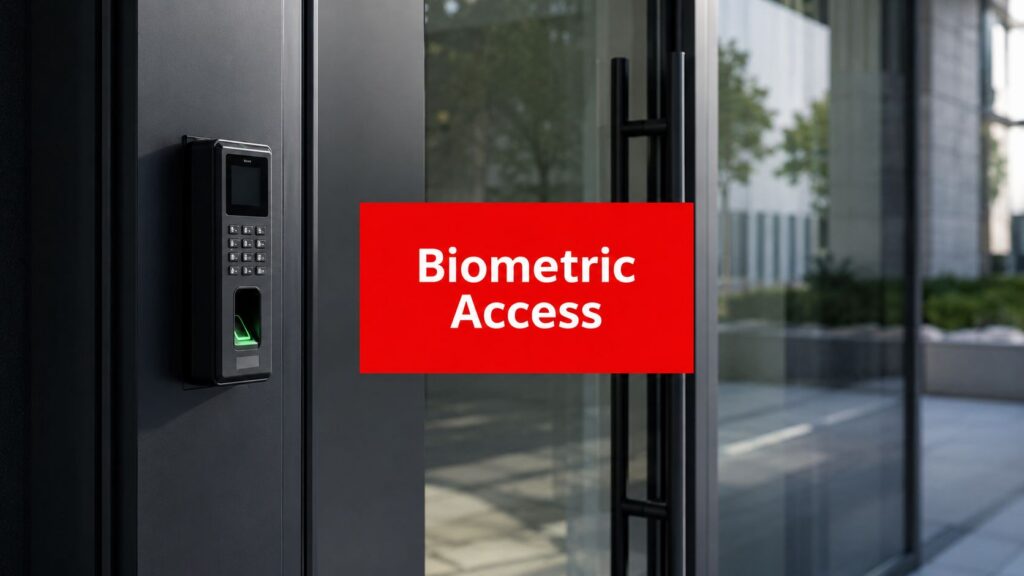
Biometric access control changes the conversation because the credential is the person, not the plastic in their wallet. That shift is driving adoption beyond niche environments. HID Global's 2024 report found that 39% of businesses were already using biometrics for physical access control, and 31% said they were using biometrics as part of two-factor authentication (HID Global report). The same report also found that 23% of respondents ranked biometrics among the top three trends shaping the access-control industry, which tells you this is no longer a novelty for high-security sites.
Where the pressure shows up first
In a lobby, the friction is usually operational. A resident forgets a badge. A contractor arrives early. A visitor tries to follow a tenant through the turnstile. In a loading dock, the pressure looks different, because workers want speed, managers want traceability, and weather or dirt can turn a simple entry into a bottleneck.
Property managers feel the difference in day-to-day handling. If a system slows entry at a front desk, tenants blame the building. If it fails at a service entrance, deliveries back up and guards end up doing manual work that the software was supposed to reduce. Those are the places where biometrics get judged, not in a vendor demo but in a real lobby queue or a muddy dock door.
That is why the appeal is broader than security alone. Market forecasts point to biometric access control becoming a major security segment, with one projection showing the market at $8.24 billion in 2025 and $28.64 billion by 2035 at a 13.8% CAGR (market forecast). The same forecast source places biometric physical access control at more than 913 million users worldwide by 2028, with revenue above $9.84 billion that year.
Practical rule, start with the doors where a bad entry matters most, then test whether the technology actually helps the site move faster instead of slower.
For property managers, the first question is not whether biometrics sound modern. It is which entrances, which users, and which fallback paths make sense for the property. That decision also has to account for template governance, privacy review, guard workflows, and what happens when a reader fails on a rainy morning or a busy move-in day.
How Biometric Access Control Works
A biometric system does not look at a face or fingerprint and "recognize" it. It follows a sequence. NIST's biometric access control testbed describes the workflow as a user requesting entry, claiming identity, the system checking the database, prompting for a sample, converting that sample into a live template, comparing it against a reference template, and then evaluating the match score against a threshold (NIST testbed). That threshold matters because access is granted only when the score clears it.
At the property level, that means a biometric reader is not a magic door opener. It is a decision engine tied to your access policy. If the settings are too strict, legitimate people get turned away. If they are too loose, the system starts approving people it should not.
Authentication and identification are not the same
Most doors use authentication, which is one-to-one matching. The person claims an identity, then the system checks whether the live sample matches that person's stored template. Identification is one-to-many matching, and Purdue's ECT fact sheet notes a key limitation here, only face, finger, and iris are capable of one-to-many identification for physical access use cases (Purdue ECT fact sheet).
That difference matters when a vendor demo sounds impressive but does not explain the operating mode. A concierge desk, a data center door, and a resident amenity entry may all need different logic. If your team does not know whether the system is verifying a claimed identity or searching for a match across a population, it is easy to buy the wrong design for the job.

Templates Are the Primary Asset
The important operational point is that the system stores a template, not a raw photo or a literal fingerprint image. That template is what gets compared during each access attempt. For managers, that means your policy questions should focus on enrollment quality, threshold settings, and template governance, not just reader placement.
If a vendor cannot explain what gets stored, where it lives, and how it is deleted, they are not ready for a serious property deployment.
That also explains why a system can feel natural once it is tuned correctly. The reader is doing a short chain of checks, and the building is making a binary decision based on those checks. The hard part is not the logic. The hard part is making the logic fit real doors, real traffic, and real exceptions. For a site team comparing hardware and integration options, an access control devices overview can help frame how biometrics fit into the broader door stack.
Comparing Biometric Modalities for Real-World Properties
Not every biometric fits every site. A polished office lobby with steady lighting has different needs from a muddy construction gate, and a healthcare campus has different constraints from a luxury residential tower. The right choice comes down to throughput, environment, and how forgiving the system is when people arrive cold, wet, gloved, rushed, or tired.
For a quick overview, the table below compares the main options property managers usually evaluate.
| Modality | Best Environment | Throughput Speed | Key Limitation |
|---|---|---|---|
| Fingerprint | Controlled indoor entries, staff doors, smaller office suites | Fast when hands and readers are clean | Sensitive to dirt, moisture, worn fingerprints, and glove use |
| Facial recognition | Class A lobbies, amenity entries, staffed reception areas | Strong for high-volume, contactless flow | Depends on lighting, camera placement, and user positioning |
| Iris | High-security interior points, restricted rooms, low-volume entrances | Very accurate but typically slower to set up | Hardware cost and user alignment requirements |
| Palm vein | Clean indoor environments where touchless entry matters | Good for steady, deliberate traffic | Less common, so support and adoption may be narrower |
| Behavioral biometrics | Secondary monitoring or layered identity workflows | Typically not a primary door method | Better as a supplement than a stand-alone entry method |
The basic pattern is easy to see. Facial recognition is often the cleaner fit for a busy lobby, because users don't have to stop and touch anything. Fingerprint can work well for staff-only doors, but it gets less forgiving when you move into outdoor or industrial conditions. Iris has a place where security is paramount and traffic is controlled, but most properties don't need that level of friction at every entrance.
A construction gate is the clearest example. Hands are dirty, gloves are normal, and schedules are uneven. That's a bad match for fingerprint unless you've built in a reliable fallback. A hospital or medical office building has a different challenge, because users may include staff, patients, contractors, and vendors, and accessibility matters as much as identity assurance.
For a deeper look at the hardware side of access devices, see Overton Security's access control devices overview. The practical takeaway is simple, choose the modality that fits the site, not the one that wins the sales demo.
Performance Realities and Operational Friction Points
The test of biometric access control happens at the door, not in a vendor demo. A clean spec sheet does not account for early-morning traffic, shift turnover, weather, visitors, or people who ignore the instructions on the wall. In practice, the system either keeps the entry line moving or starts creating complaints.
A manager-focused study reported false rejection rates in live conditions ranging from 1% to 70%, depending on the scenario and test conditions (study on live-condition errors). That spread matters because a false rejection at a lobby turnstile is not an abstract accuracy issue. It is a person standing in front of the reader while a queue builds behind them.
What causes the bottlenecks
Lighting changes, camera angle, wet or dirty fingers, aging populations, and accessibility requirements all affect site performance. The question is not only whether the biometric can work. It is whether it can keep working in the way your building runs, day after day.
The failure points are usually predictable:
- Outdoor entries, especially loading docks and construction gates, need better tolerance for weather and dirt.
- High-traffic lobbies need quick match times, or people will bunch at the door.
- Healthcare and residential settings need a backup path for people who cannot or should not enroll a biometric.
- Visitor-heavy sites need a temporary access process that does not slow down staff flow.
A site with gloves, dust, and uneven arrivals will expose weak assumptions fast. A lobby with steady foot traffic creates a different kind of pressure, because even small delays feel bigger when they repeat all day.
Specs that matter more than marketing language
The useful benchmark is not “AI-powered” or “advanced.” It is whether the unit can handle the population, store enough events, and respond fast enough to avoid queues. One published specification supports at least 10,000 users, 10,000 fingerprints, 1,000,000 transactions, facial recognition at ≤0.3 seconds, and a 2MP WDR low-light camera (technical specification). Another device spec advertises fingerprint recognition under 1 second, 1:1 and 1:N matching, up to 10,000 optional fingerprints, and 100,000 event capacity over TCP/IP and 802.3at PoE.
Those are the numbers that matter on a real property. Higher template capacity helps avoid constant re-enrollment and administrative churn. Faster match times reduce line buildup. Low-light support and wide dynamic range matter when the reader faces glass doors, shade, or evening traffic.
A good biometric system doesn't just identify people, it protects the flow of the building.
Fallback also needs a place in the design. In some sites, a card or mobile credential is the better backup because it is easy to issue temporarily and easy to revoke. That is not a sign that biometrics have failed. It is what operational discipline looks like when a property needs both identity assurance and a practical way to keep people moving.
Integrating Biometrics with Your Security Infrastructure
A biometric reader that sits alone on a door is only doing part of the job. In a managed property, access control should connect to the rest of the security stack, because a denied entry, a failed read, or a forced-door event often needs a human response. That's where integration stops being a technical nice-to-have and becomes an operational requirement.
Modern specifications commonly combine fingerprint + RFID card + PIN as the identification method, along with interfaces such as Ethernet, Wi-Fi, USB, Wiegand I/O, RS485, lock relay output, exit button, and door sensor support (technical specs). The practical effect is simple, biometric decisions can be tied to credential events and door hardware events, which gives you better auditability.
Where the data should go
For properties with an active guard program, biometric events should feed into the same accountability chain as other security activity. That means the SOC can watch access attempts in real time, guards can verify exception entries, and daily reports can reflect what happened at the door. Overton Security's approach to integration of security systems is a good example of how access events, monitoring, and field response can be connected in one workflow, integration of security systems.
The best integrations usually touch four places:
- Security Operations Centers, for live event monitoring and escalation
- Guard tour systems, for patrol verification and incident logging
- Visitor management systems, for pre-registration and temporary access
- CCTV and video analytics, for event-triggered recording
Those links matter because a biometric event without context is just a log entry. A biometric event with video, time stamps, and officer notes becomes evidence.
Human response still matters
Biometrics don't replace guards, they change what guards pay attention to. A concierge officer can watch for tailgating. A mobile patrol can verify a gate that failed to open. A SOC operator can contact the site if a door shows repeated denial attempts or a door contact changes state unexpectedly.
That layered approach is what gives the system resilience. If a reader fails, the site needs an alternate path. If an access event looks suspicious, the guard force needs a procedure. If a tenant disputes an entry, someone needs a record that ties the event to the door, the time, and the credential path used.
Privacy Compliance and Template Governance
The question most vendors gloss over is not whether the reader can identify someone. It's whether the property can manage the data responsibly after enrollment. Biometric templates are sensitive identity records, and once they enter a multi-site environment, the operational questions get harder fast. Who owns the template? How long is it kept? Who can access it? What happens when someone leaves?
That's why biometric access control is a records-management issue as much as a hardware issue. Recent coverage on biometric deployment points to the need for consent, data handling controls, and legal constraints, not just accuracy and convenience (Acre Security on biometric access control). For property managers, that means the vendor contract should be clear on retention, deletion, jurisdictional handling, and audit trails before rollout starts.
The questions that should be in the room
Ask these directly:
- Template ownership, does the property control the stored template, or does the vendor?
- Retention policy, how long is the biometric data kept after termination or move-out?
- Deletion process, how is removal documented when a resident, tenant, or employee leaves?
- Jurisdictional coverage, do policies change across states, countries, or portfolio types?
- Fallback access, what happens if someone declines enrollment or can't enroll successfully?
A useful reference point on broader employee data handling is the DynamicsHub employee data security insight, which underscores how sensitive workforce data needs clearer governance than many expect. That same mindset applies to biometric templates, because the operational burden doesn't disappear after installation.
Practical rule: if your lease files, HR records, and access logs all live under different owners, your biometric policy needs a written data map before the first reader is installed.
The market is also shifting toward privacy-aware choices, including multi-modal options and liveness detection. That's an important signal. The industry is moving from “can it identify?” to “can it do so in a defensible, auditable way?” That's the standard property managers should hold vendors to, especially in mixed-use portfolios where one policy won't fit every site.
For a structured way to assess risk before deployment, review Overton Security's security risk assessment resource. A good assessment should connect legal exposure, user experience, and records handling to the physical doors themselves.
Your Biometric Access Control Procurement Checklist
A good biometric rollout starts with site reality, not product brochures. Before you buy anything, walk the entrance points, talk to the officers who work them, and look at how people move through the property. A lobby, a loading dock, and a parking gate don't need the same design.
Use this checklist before you sign
- Map the site conditions, lighting, weather exposure, traffic volume, and door hardware all shape performance.
- Define the user groups, staff, residents, contractors, visitors, and vendors may need different enrollment paths.
- Pick the right modality for the environment, fingerprint, face, iris, or palm vein should fit the entry, not the other way around.
- Confirm fallback authentication, card, PIN, mobile credential, or staffed override should be available where failures would disrupt operations.
- Verify template ownership, data control needs to be clear in writing.
- Review integration capability, SOC monitoring, CCTV, visitor management, and guard reporting should connect cleanly.
- Ask for audit trail detail, you want time-stamped records tied to events you can use.
- Pilot before rollout, test one door or one zone before expanding across the property.
- Plan for maintenance, templates, cameras, sensors, and door hardware all need calibration or refresh over time.
- Write the exception process, residents, employees, and contractors need a documented path when biometrics don't work.
The sites that get this right treat biometrics as part of a broader operating model. That means guards know what to do when a reader fails, the SOC knows what a denial looks like, and management knows which doors should use biometrics versus a simpler credential. In many portfolios, that balance is what keeps the system useful instead of frustrating.
If you're evaluating biometric access control for a property in Los Angeles, San Jose, or anywhere else in California, start with the doors that matter most and the people who use them every day. Overton Security helps property teams connect access control with onsite guards, vehicle patrols, concierge coverage, and SOC oversight, so the system works as part of the building's day-to-day operation. Visit Overton Security to discuss a deployment that fits your site, your compliance requirements, and your fallback plan.