You're usually not thinking about electronic security systems on a calm Tuesday. You think about them after a tenant says the side door was left open, after a package theft at the vestibule, or after a board member asks why the cameras don't seem to tell a clear story when someone gets in after hours.
That's where a lot of property managers get stuck. They've got a camera quote, an alarm quote, maybe a door access proposal, but no clear sense of how those pieces work together or who's supposed to act when something happens. A useful system isn't just equipment on a wall, it's a way to detect, verify, and respond with less confusion and less delay.

What Property Managers Need from Electronic Security Systems
A property manager managing a real building problem usually starts with a simple question, what is happening on this site, and who needs to know about it? That question matters because electronic security systems work best when devices, software, and people are tied into one operating flow, not treated as separate purchases.
U.S. government guidance describes an electronic security system as an integrated physical protection system that uses software and electronic devices to monitor and collect data from subsystems, then helps operators interpret information and decide on a response. In plain English, the sensors notice, the software organizes, and the people act. Automated access control works the same way at a door, where the system momentarily permits entry to a controlled area and then returns to a locked state. U.S. government guidance on electronic security systems
That is why buying devices one by one often falls short. A camera can record an incident, but it does not automatically tell anyone what happened in time to change the outcome. An alarm can make noise, but if no one verifies it or knows what to do next, the response gets messy fast.
A useful way to judge the system is to ask whether each part has a clear job.
- Sensors detect movement, door activity, forced entry, or credential use.
- Software sorts the signal from the noise.
- People respond through officers, dispatch, or remote monitoring.
Practical rule: if a proposal only lists hardware, it is incomplete. You need to know who reviews alerts, who confirms them, and who follows through when the site is quiet at night.
That same logic now reaches into cybersecurity and network management. If your cameras, access readers, and monitoring platform live on a network, they share the same operational risk. A detailed analysis of cybersecurity integration helps explain that connection without turning the conversation into jargon, and it fits the broader comprehensive look at cybersecurity. It also helps property teams see why trained officers, SOC oversight, and lifecycle planning matter just as much as the hardware itself.
Key Components Explained in Plain Language
The fastest way to understand a security system is to stop treating it like a vendor catalog. Think of each part as a job on the property, then ask whether that job is being done well. A system feels integrated when each tool has a clear role and passes useful information to the next one.
The main jobs inside the system
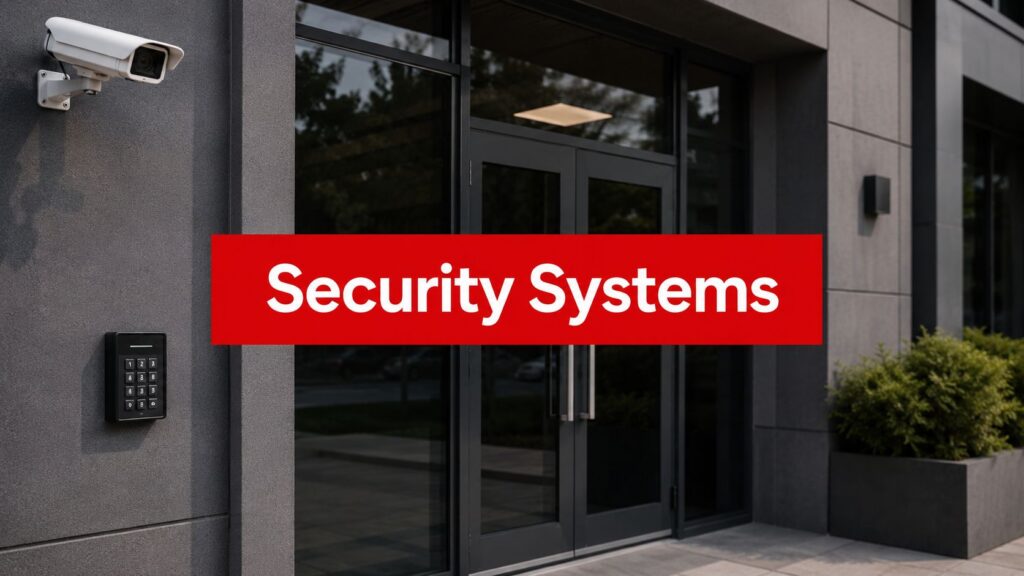
CCTV and video surveillance are the eyewitnesses that never blink. A camera at an entry vestibule, loading dock, or garage ramp can show who came through, what they did, and whether someone tailgated behind them. That visual record matters most when you need to verify a complaint, a trespass event, or a disputed access issue.
Access control is the doorman with a list. Card readers, keypads, fobs, and mobile credentials decide who gets in, when they get in, and where they're allowed to go. Government security literature treats access control as a family of technologies, not a single badge system, which is why a building entry point, a parking gate, and a centralized credential platform can all be part of the same architecture. NCJRS access-control overview
Intrusion detection acts more like a tripwire that's aware of motion and tamper. Door contacts, glass-break sensors, and motion sensors tell the panel that something changed when it shouldn't have. The value isn't just the alert, it's the early notice that something is off before a loss grows.
Alarm panels are the alert desk. They gather signal from the field, decide whether the event matches a rule, and then push the event to the right person or center. A panel alone doesn't secure a site, but it organizes the response.
Video management software, or VMS, is the control room. It helps staff organize feeds, review clips, search by time or camera, and pull together the story of an incident. If your team can't find the right clip quickly, the footage may as well not exist.
Remote monitoring is the after-hours shift that never sleeps. For a property manager, this can mean a monitoring center, a SOC, or a patrol team that receives verified alerts and acts on them when your onsite team is gone.
Here's where integration changes the outcome. A forced door can trigger a camera pop-up, a credential audit can flag unusual access patterns, and a monitored alarm can prompt video verification before anyone dispatches. That's a very different workflow from a pile of separate gadgets.
For readers who want a deeper view of system design choices, our electronic access control system overview is a practical next step.

Measuring Return on Investment for Property Managers
A burglary report is only one part of the picture, but it is a useful starting point. A Philadelphia-area burglary study summarized in NCJRS burglary-risk summary found that businesses without security systems were four times more likely to be burglarized than those that did have systems, and that clearly displayed dealer signage was the most effective deterrent. It also found that businesses with a security system and three or more antiburglary precautions had a burglary rate of 4.1%, while businesses with an alarm but fewer than three other precautions had a rate of 4.2%.
For property managers, that result points to a simple operational lesson. An alarm by itself is only part of the workflow. A system starts to pay off when the device layer, the people layer, and the response process all point in the same direction.
ROI shows up in operations, not just in loss prevention
The direct savings are easier to explain when you are speaking with ownership. Fewer incidents mean fewer claims, fewer emergency after-hours calls, and less time spent piecing together what happened from incomplete reports. Video, access logs, and alarm history make investigations cleaner, which matters when a tenant is disputing a charge or when an incident turns into a liability question.
The return also shows up in how people judge the property. Residents, tenants, and customers notice whether a site feels managed or neglected. In residential communities and Class A office settings, visible security can support retention because people see a property that is watched and cared for, rather than left to chance.
Retail and mixed-use portfolios have another layer to consider, shrinkage and internal misuse. A camera at the wrong door will not solve that. A system that combines access logs, video review, and trained response gives you a better chance of understanding where losses are happening, especially when officers and a SOC are following the same alert-handling process.
Practical rule: if you cannot use the system to answer a real question after an incident, the system is not paying its way.
A property manager should also treat ROI as a lifecycle question, not a one-time install decision. Equipment ages, tenant patterns change, and property risk changes with it. If you are building a business case for ownership, our security performance indicators page can help you focus on measurable operations instead of vague reassurance.
Choosing a Vendor and Planning the Implementation
The best-looking demo isn't always the best fit for a property. I'd start with a different question, which is whether the vendor can support the site after the install is over. A clean proposal matters, but a system that can't be maintained, explained, or scaled becomes a burden pretty quickly.
Questions worth asking before you sign
- Who watches the alerts after hours? If no one is accountable for response, the system is only partly doing its job.
- What happens when something fails? You want a clear service path, not a guessing game with three phone numbers.
- How do the alerts get customized? A loading dock, lobby, garage, and rooftop shouldn't all trigger the same way.
- What training do onsite staff receive? A system only works if the people on site know how to use it without calling the integrator every time.
- Can the platform grow with the portfolio? Multi-property managers need a system that can scale without becoming inconsistent.
That's where local conditions matter. A retail center in Los Angeles may need a very different rollout pace from a healthcare site in San Jose or a warehouse in Sacramento. Tenant mix, parking patterns, public access, and after-hours traffic all change the design conversation.
A realistic rollout usually follows a sequence
Start with a site survey and risk review. Then move into design, phased installation, staff training, and a review period where the team checks whether the alerts, camera views, and access rules match daily operations. The review period is where hidden problems show up, especially around doors that are used differently than the drawings suggested.
If you're comparing vendors, one useful distinction is whether they sell hardware or support an outcome. Overton Security's commercial security systems installation approach is one example of how implementation can be tied to site needs instead of equipment lists.
Real-World Use Cases Across Property Types
A multifamily community, a retail center, a construction site, and a healthcare campus can all buy “security systems,” but they're solving different problems. The smartest proposals reflect that difference instead of forcing one template onto every site.
Multifamily and residential communities
In an apartment community, the biggest friction points are usually package theft, unauthorized entry, and resident complaints about who got into a building or garage. Access control at the main entry, cameras at vestibules, and remote monitoring help staff understand whether a door was held open or whether someone used a credential they shouldn't have.
For board members, the win is fewer blind spots and fewer arguments based on guesswork. For resident managers, the win is being able to look at a timeline instead of relying on memory. When the property also uses trained officers or concierge staff, electronics and people reinforce each other rather than compete.
Retail centers and shopping plazas
Retail sites care about deterrence, internal shrinkage, loitering, and what happens after closing. Visible cameras matter here, but so do monitored alarms and well-placed officers who can observe behavior before it becomes a larger issue. A camera above the front door won't help much if the loss is happening at a side entrance, a service corridor, or a delivery zone.
Construction sites and logistics yards
Construction sites usually need mobility and flexibility more than elegance. Temporary cameras, mobile patrols, and GPS-enabled officer check-ins help protect tools, fuel, copper, and materials when the site is quiet. The challenge isn't just seeing the fence line, it's knowing whether a patrol happened and whether the right areas were checked.
Healthcare and office campuses
Healthcare and office campuses often need layered access control, video verification, and SOC oversight because there's a mix of public movement and protected space. The task is not just stopping entry, it's controlling transitions between zones. That's where staffed response can matter as much as the equipment itself.
Overton's experience across California, including Los Angeles, San Jose, Oakland, Sacramento, and San Diego, fits naturally into that kind of site-by-site planning. Different properties need different blends of officers, patrols, and monitoring, and the rollout should reflect that reality.
Maintenance, Compliance, and Lifecycle Planning
A system that works on install day can still fail a year later if nobody owns maintenance. Cameras drift, credentials pile up, firmware gets stale, batteries age, and an access rule that made sense when a tenant moved in may no longer fit the current layout. The failure is usually quiet, which makes it easy to ignore until an incident exposes it.
Power resilience deserves special attention. Government and institutional specifications commonly require backup power for at least 8 hours of continuous operation, and some require the standby supply to support the entire system while staying under 80% of rated capacity. That matters because readers, cameras, alarm panels, and controllers can all fail together if the power budget was never calculated for the load. VA specification on backup power
The maintenance work that protects the investment
- Firmware and software updates keep the platform current and reduce avoidable issues.
- Credential reviews remove old access rights when tenants, staff, or vendors change.
- Camera cleaning and re-aiming preserve visibility, especially after weather, remodeling, or seasonal lighting shifts.
- Battery and power checks help ensure the system still works when utility power doesn't.
- Service documentation helps the next person understand what was changed and why.
Why lifecycle planning matters for understaffed sites
SecurityIndustry.org's guidance for rural and small communities asks questions that many buyer guides skip, like whether the customer can sustain licensing and support over years 3, 5, and 7, whether the current staff can operate the system without constant integrator help, what happens when something breaks on a Friday afternoon, and whether parts can be sourced locally. SecurityIndustry.org on underserved security planning
That framing is useful for property managers too. The right partner doesn't just install and disappear, they stay available when operations get messy.
For property teams that manage tenant turnover or mixed residential rules, it can also help to keep an eye on practical legal guidance such as VerticalRent's guide on rental cameras. Knowing what's allowed and what isn't prevents avoidable conflicts before they start.
Common Misconceptions That Undermine Security Programs
The first myth is that visible cameras alone do the job. Visibility helps, but layered systems outperform standalone devices, especially when the actual problem is happening at a transition zone like a vestibule, service entrance, or parking-to-building path. A camera may record the moment, but it won't necessarily close the gap.
The second myth is that more devices automatically mean better security. It doesn't. A site with overlapping coverage in the wrong places can still miss the one angle that matters, while a smaller, smarter layout can tell the story far more clearly.
The third myth is that alarms work without monitoring. In practice, an alarm that nobody verifies can become background noise. Monitoring changes the workflow because someone checks whether the event is real, whether video supports it, and what the next response should be.
The fourth myth is the most expensive one
That myth says technology replaces officers. It doesn't. The strongest systems blend smart electronics with trained, accountable people, whether that's onsite security officers, vehicle patrol, concierge staff, or a SOC supporting the field team.
Practical rule: if the proposal gets more excited about hardware than about response, you're probably looking at a weak operating model.
When you're comparing providers, that question matters more than brand names. A system has to fit the property, the staff, and the after-hours reality, not just the sales deck.
If you're also sorting through training or operational credentials, Ace Aviation Aerospace Academy's find ReOC Australia info page is a reminder that regulated work depends on clear procedures, not just equipment. Security is the same way. Process matters.
Building a Security Program That Works
A property manager usually feels the weakness in the workflow before they can name it. A camera may cover the lobby, but the side gate still creates uncertainty. An access reader may log entries, but nobody is checking whether the after-hours exception was legitimate. Start with the site itself and trace how people move from public areas into restricted ones, where cameras lose sight, and where decisions are being made without enough oversight.
That walkthrough should lead to a plain question: which part of the program is failing. Sometimes the technology leaves a blind spot. Sometimes staffing leaves a gap. Often the core issue sits between the two, where a sensor reports an event but no one owns the response. A useful plan identifies that handoff and treats it as part of the design, not as an afterthought.
A practical program usually comes together in three steps. First, complete a self-audit of coverage, access points, and gaps in verification. Second, narrow the field to two or three vendors who can integrate the systems and support them after installation, because equipment alone does not create a working security process. Third, speak with a partner who can model lifecycle cost, service needs, and replacement planning, not just the install price.
Best takeaway: the goal is not to collect more equipment. It is to build reliable detection, clear verification, and accountable response.
That approach fits property managers who want officers, GPS-enabled patrols, detailed reporting, and SOC oversight planned as one operating model. The value comes from coordination. If the camera, access control, patrol, and monitoring functions do not support each other, the program feels busy without becoming more secure.
If you are comparing cameras, access control, patrol coverage, or remote monitoring for a property in California, a conversation with Overton Security can help you map the pieces to your site, your staff, and your long-term support needs. Visit Overton Security to start a conversation about electronic security systems that are built to work in the world.