
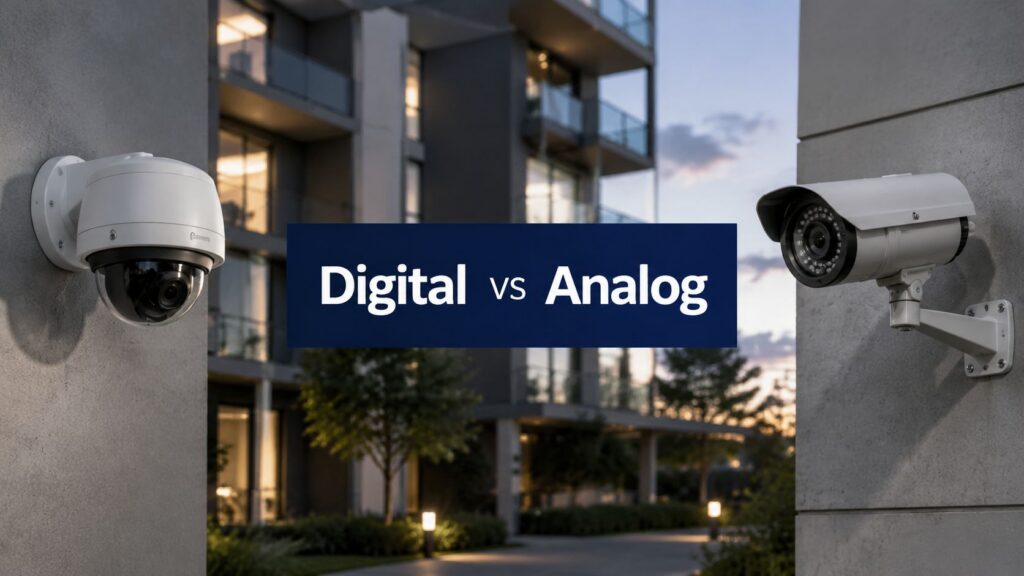
You don't usually get a clean “camera problem.” You get a recurring complaint from a tenant, a blurry clip from a loading dock, a card reader that doesn't match the timestamp, and then someone asks why the footage can't answer a simple question. In a retail center, that might mean a higher-resolution upgrade that looked good on paper but strained the network. In a multifamily property, it might mean the old analog system stayed in place until an incident happened and the recording wasn't useful enough to settle the dispute.
| Criterion | Digital (IP) Cameras | Analog Cameras |
|---|---|---|
| Image path | Digitize inside the camera, then transmit a digital stream | Send a continuous signal for external digitization |
| Resolution ceiling | Scales much higher, with systems reaching 80 megapixels or more (qualitymag.com) | Commonly limited to about 640 × 480 pixels (qualitymag.com) |
| Dynamic range | About 55 to 60 dB (multipix.com PDF) | About 45 to 50 dB (multipix.com PDF) |
| Frame rate at common resolution | 30 fps at 2 megapixels (1,600 × 1,200) (ni.com) | 30 fps at 640 × 480 (ni.com) |
| Power draw | Often less than 1 W (qualitymag.com) | About 5 to 10 W (qualitymag.com) |
| Typical cabling | Network cabling, PoE, and network design considerations | Coax, BNC, and DVR-centered infrastructure |
| Best fit | Connected sites, remote monitoring, analytics, and multi-building portfolios | Small legacy sites, short horizons, or retrofit environments with strong coax already in place |
That difference is bigger than a spec sheet. Digital vs analog cameras is really a decision about how your property records evidence, who can see it, how the system scales, and how painful the next upgrade will be.

Why Your Camera Choice Matters More Than You Think
A retail center manager once told me the cameras were “upgraded,” but the site still wasn't easier to run. The new system produced sharper images, yet the network started choking when too many users pulled footage at once, and the storage team spent more time chasing playback problems than reviewing events. That is the mistake I see over and over, people focus on image clarity, then find out the core issue is how the system behaves under load.
I have seen the same pattern in multifamily properties. A site keeps a legacy analog system because it is paid for and familiar, then an incident happens in a garage or at a gate, and the clip is too soft, too hard to access, or too limited to settle what happened. The camera did not just miss detail. The system missed the moment, and the people who needed an answer had to work around it.
Practical rule: if footage cannot move smoothly from camera to storage to review, the “camera choice” was really an infrastructure choice.
That is why digital vs analog cameras should be judged as an operations decision, not a picture-quality contest. The key question is how the system records evidence, who can review it, how it scales across sites, and how painful the next upgrade will be. In retail, that shows up as bandwidth, user access, and search speed. In multi-family, it shows up as gate incidents, garage coverage, and staff turnover. In construction, it shows up as temporary power, changing layouts, and whether the system can keep up as the job site changes.
The market has already moved in that direction. Analog systems dominated early video surveillance, but IP and digital systems overtook them in the 2010s as resolution and network features improved. In 2011, analog cameras generated USD 7.4 billion in revenue versus USD 4.3 billion for IP cameras, and by 2014 IP cameras had overtaken analog at USD 9.0 billion in revenue (scoop.market.us). The broader video surveillance market also expanded from USD 23.6 billion in 2019 to USD 35 billion in 2022, with a projection of USD 44 billion by 2025 (scoop.market.us).
For property managers, the lesson is simple. Modern deployments are not just about recording, they are about remote access, SOC integration, and maintenance across years of site changes. A camera choice that looks cheaper on day one can become the expensive one once the site needs better evidence, more users, or tighter oversight.
How Analog and Digital Cameras Actually Work
The most important difference is simple. Analog cameras capture light, send a continuous electrical signal over coax, and rely on a DVR or other external device to turn that signal into usable video. Digital cameras convert the image to data inside the camera, then transmit that digital stream over a network.
Digitization happens in different places, and that one design choice changes everything downstream.
That's why the same word “camera” covers two very different systems. In analog setups, the building usually carries the burden through coaxial cable, DVR dependence, and a more closed recording path. In digital setups, the camera becomes a network device, which creates more flexibility, but also more responsibility for IT-style oversight.
For a property manager, the practical effect shows up fast. Digital cameras can support onboard processing, remote access, and smarter image handling, while analog systems tend to be simpler to understand and often cheaper to buy up front. The trade-off isn't “new versus old.” It's whether your site needs a closed recording loop or a connected surveillance stack that can be reviewed from more than one place.
Machine-vision comparisons say the same thing in plainer language. Digital systems digitize inside the camera and transmit a digital stream over interfaces such as USB, FireWire, Camera Link, or Gigabit Ethernet, while analog systems send a continuous signal out for external digitization (multipix.com PDF). That architecture is what enables higher resolution ceilings, better dynamic range, and more post-processing headroom later.
Resolution, Latency, and Power Side by Side
Field performance is driven by three things, detail at the distance you need, how quickly you can review and act on the footage, and how much burden the camera places on the rest of the system. In a real property portfolio, those trade-offs show up in the security office, the network closet, and the invoice for storage and monitoring.
| Criterion | Digital (IP) Cameras | Analog (incl. HD-over-Coax) Cameras |
|---|---|---|
| Dynamic range | About 55 to 60 dB (qualitymag.com) | About 45 to 50 dB (qualitymag.com) |
| Resolution ceiling | Up to 80 megapixels or more (qualitymag.com) | Commonly around 640 × 480 pixels (qualitymag.com) |
| Frame rate at standard resolution | 30 fps at 2 megapixels (1,600 × 1,200) (ni.com) | 30 fps at 640 × 480 (ni.com) |
| Pixel depth | 10 to 16-bit gray levels (ni.com) | 8 to 10-bit pixel depth (ni.com) |
| Power draw | Often less than 1 W (qualitymag.com) | About 5 to 10 W (qualitymag.com) |
For a retail entrance, that table translates into a practical choice. If a manager needs usable face detail at a doorway or a clean view of a license plate in a driveway, the higher ceiling on digital systems matters more than matching old camera counts. If the goal is broad awareness in a back hallway or around a utility yard, analog can still do the job, especially where the building already has coax in place and the scope is limited.
Latency also affects how the system performs under pressure. In a live alarm event, a digital camera can feed a monitoring desk, a mobile app, and a recorder at the same time, which helps when a guard, an after-hours dispatcher, and a property supervisor all need the same scene without waiting on a single workstation. Analog systems can be perfectly serviceable for local recording, but they are less flexible when multiple people need to review the same incident from different places.
Power draw is not just a line item on a spec sheet. In multi-family and construction sites, lower draw helps where switches, UPS sizing, and backup run time are tight. That matters in utility rooms, temporary trailers, and older tenant spaces where every added load creates another operational problem.
The other operational difference is what happens after the event. Digital systems usually give you more room for motion handling, search, and remote review, which helps a 24/7 SOC work through incidents without physically pulling video from a DVR in the field. For teams comparing service models, the monitoring side often becomes part of the decision, which is why a clear security camera monitoring service cost breakdown is worth reviewing before a rollout. Analog systems can still support incident review, but they tend to be less forgiving when the site needs quick access, shared review, or broader oversight across multiple properties.
For property managers, the primary question is whether the system supports daily operations as well as incident response. A camera package that looks fine on paper can still fail if it creates extra work for onsite staff, slows down review during a break-in, or forces too much manual handling after hours.
Installation, Cabling, and Retrofit Realities
Many budgets get blown here. A camera isn't expensive by itself. The cost shows up in the building, in the conduit, in the rack, and in the hours spent making old infrastructure cooperate with new hardware.
Analog systems usually ride on coax with BNC connectors, which makes them straightforward on legacy sites. Digital systems usually rely on Cat5e or Cat6, network gear, and PoE, which can clean up the install but may force network upgrades and more bandwidth planning. If the site already has decent coax and the goal is to preserve it, an HD-over-coax path can make sense. If the site is being rebuilt around remote access and shared monitoring, a clean IP design is usually the better long-term move.
“PoE solves everything” sounds nice until the network closet is undersized, the switches are old, or the building's risers can't support the new cable path.
Retrofitting a commercial property in San Jose or a mixed-use building in Los Angeles means checking more than camera placement. Look at conduit fill, attic access, riser availability, existing power locations, and whether the current network can carry the new load without creating a bottleneck. For broader cabling planning, Southern Tier Resources cabling is a useful reference point for the infrastructure side of the decision.
A good site plan should also tie camera coverage to actual risk zones, not just open wall space. If you're mapping entrances, corners, and parking areas, the internal camera coverage guide is a useful companion for thinking through placement before anyone starts pulling wire.
For many retrofit jobs, the cheapest camera is not the cheapest system. Coax may reduce labor on a legacy property, while IP may reduce clutter and simplify future expansion. The right answer depends on whether the property is trying to preserve what already works or build a platform for the next five years.

Total Cost of Ownership Over a Five-Year Horizon
Camera quotes are easy to compare because they're small. The entire budget lives in everything around the camera, hardware refreshes, labor, storage, bandwidth, power, and the disruption of replacing parts later. That's why a five-year view matters more than a purchase-order view.
An analog site can look cheaper on the first invoice, especially if the building already has coax in place. But analog also tends to carry DVR dependence and more rigid update cycles, while digital sites usually shift spending into network planning and storage design. On a small site with a short horizon, analog can still make sense. On a multi-building portfolio, the system-level math often points the other way.
The question is not “Which camera is cheaper?” It's “Which system costs less to live with across the whole property?”
Here's the simplest framework I use with owners and managers:
- Retail centers: Favor digital/IP when loss prevention detail, remote review, and multi-tenant coordination matter.
- Construction sites: Choose digital for temporary flexibility, rugged planning, and faster redeployment, unless the site is very short-term and basic coverage is enough.
- Healthcare facilities: Lean digital when segmentation, remote oversight, and controlled access are part of the workflow.
- Multi-family communities: Use digital or hybrid when gate control, amenity coverage, and remote management matter, especially across larger portfolios.
For a more detailed service-side cost discussion, the internal security camera monitoring service cost page is a useful baseline when you're budgeting the monitoring layer, not just the hardware.
The blunt takeaway is this. Analog can save money when the job is simple and the timeline is short. Digital usually wins when the property has multiple stakeholders, more cameras, more users, or a future upgrade path that will punish short-term thinking.

Matching the System to Your Property Type
A retail center deals with one set of pressures, a jobsite with another, and a healthcare building with another still. The right camera architecture follows the operating reality of the property, not a spec sheet or a vendor demo.
Retail centers
Retail properties usually need clean views at entrances, POS-adjacent areas, and parking transitions. Digital systems fit best when managers need sharper incident review, faster remote access, and the ability to coordinate with a SOC or loss-prevention team across multiple doors and tenants. Analog can still serve a small strip center, but it starts to feel limited when the property has repeated incidents, multiple stakeholders, or higher review demands.
Construction sites
Construction is a different job. Temporary power, changing layouts, and fast redeployment often matter more than polished hardware choices. Digital systems are usually the better operational fit because they support flexible coverage and easier scaling, while analog can still work on very short-term or highly constrained jobs where existing infrastructure is already in place.
Healthcare facilities
Healthcare sites carry a heavier burden around privacy, controlled access, and network discipline. If the camera system touches a broader monitoring environment, the digital side needs to be segmented and managed carefully. For teams that need to shape policy around connected systems, the 2026 guide for startups is a useful reminder that video hardware sits inside a larger access and compliance framework.
Multi-family communities
For apartments, condos, and HOA properties, the main questions are gate coverage, amenity security, resident trust, and how much maintenance burden the team can take on. Digital cameras usually make more sense because property managers need remote access, faster review, and a cleaner path to expansion across garages, pools, mailrooms, and entries. If you manage a mixed portfolio and want the operating side to stay organized, browse our property management guide before you standardize camera coverage across buildings. A hybrid approach can make sense if the existing coax backbone is strong and the property wants to phase upgrades building by building.
For a broader systems view, read the best commercial security camera systems guide when you are comparing architectures across different property types.
The pattern stays the same. The more a site depends on connected oversight, the stronger the case for digital. The more static and self-contained the site is, the more room analog still has.
Cybersecurity, Compliance, and SOC Integration
This is the part many camera articles skip, and it's the part that matters most once the building is live. Analog systems keep video on coax and usually require a DVR, so they stay relatively closed. Digital systems move video onto the network, which is exactly why they work so well with remote access and SOC workflows, and exactly why they need stronger control.
That shift changes the vendor questions you should ask. Who can log in? How are devices segmented? How are firmware updates handled? What happens if the network drops? If the camera system is feeding a 24/7 SOC, those questions are operational, not theoretical.
The right question is not “Which has better resolution?” It's “Which system is safer to operate, easier to segment, and less exposed to downtime?”
In real properties, digital succeeds or fails. A well-designed IP deployment gives a security team faster response and better visibility. A poorly designed one creates another login, another password policy, and another place for access problems to pile up.
That's also why governance matters. If a camera system is part of a larger connected stack, the manager needs a plan for access control, segmentation, and maintenance. For teams thinking about privacy and compliance from the start, the earlier linked legal guide is useful because it reinforces a simple truth, networked systems need rules, not just hardware.
Your Decision Checklist and Practical Next Step
If you manage a greenfield site, digital should be the default. If you're sitting on a legacy property with good coax and a short remaining life cycle, analog or HD-over-coax can be a sensible bridge. If you oversee a mixed portfolio, phased IP rollout is usually the least disruptive way to modernize without ripping out everything at once.
Use this checklist before you sign a camera scope:
- Start with the site type: Retail, multifamily, construction, or healthcare each pulls the design in a different direction.
- Inspect the backbone: Good coax may justify a hybrid approach, while weak or outdated infrastructure usually pushes you toward IP.
- Match the system to the workflow: If remote monitoring, SOC review, or multi-site access matters, digital belongs at the center of the plan.
- Budget the whole system: Hardware, cabling, network, storage, and replacement cycles matter more than sticker price.
The best answer is rarely “all analog” or “all digital.” It's the system that fits the building, the staff, and the way incidents get reviewed on your property.
If you're comparing digital vs analog cameras for a retail center, apartment community, construction site, or multi-site portfolio, Overton Security can help you think through the install, monitoring, and long-term fit before you spend money in the wrong place. Visit Overton Security to talk with a team that works with California property managers every day and knows how to match camera strategy to real-world operations.