
Is your property truly secure after hours, or are your security cameras just recording evidence for you to find tomorrow? Imagine transforming those passive cameras into a proactive security system that actively stops crime. That’s the core promise of remote video monitoring. It's a fundamental shift from recording incidents to preventing them altogether.
What Is Remote Video Monitoring?
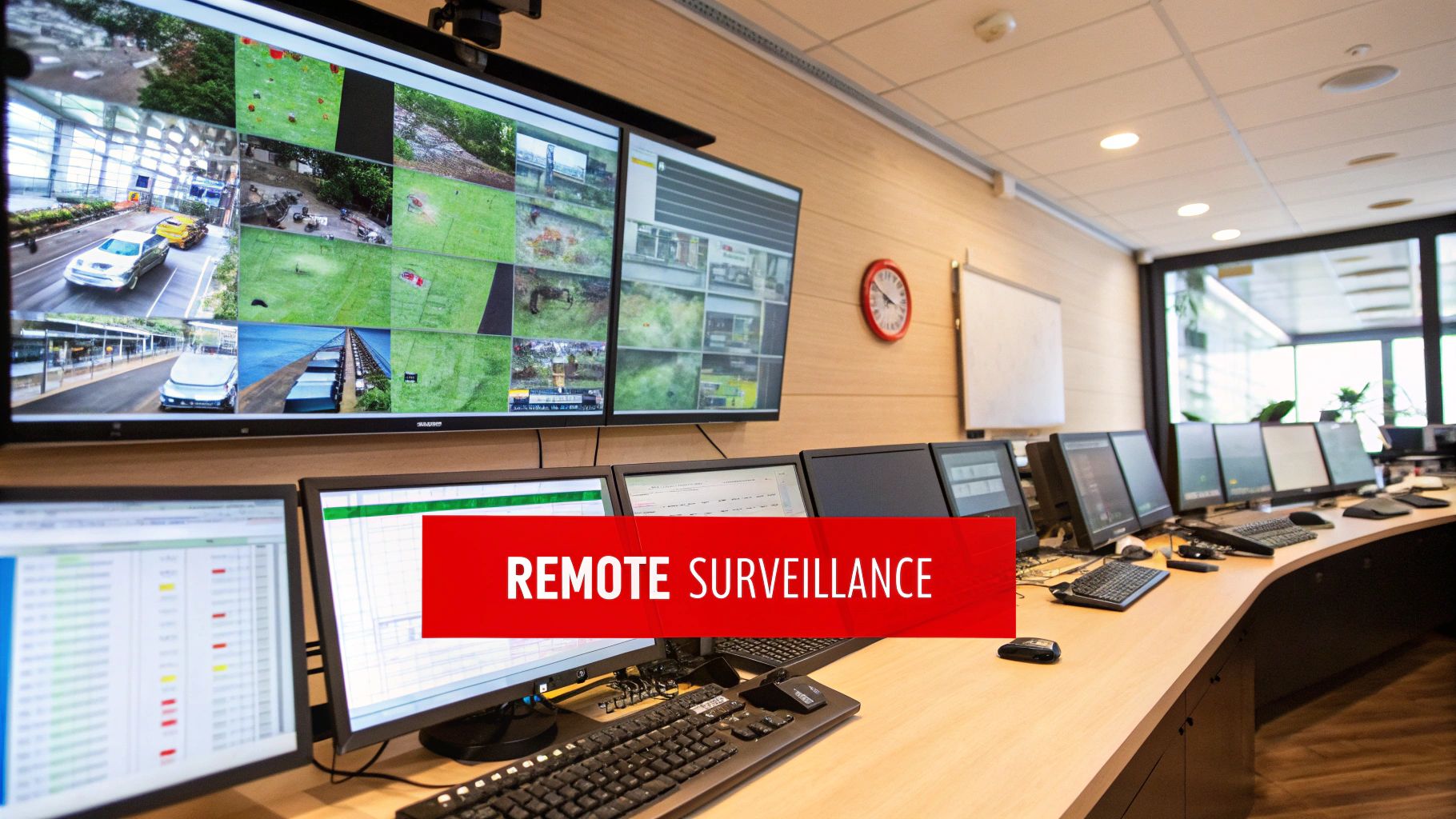
Remote video monitoring is a service where trained security professionals watch your property's live camera feeds from a central Security Operations Center (SOC). This isn’t passive screen-watching; it’s a smart combination of advanced technology and human expertise designed for proactive intervention.
The system uses intelligent cameras, often enhanced with artificial intelligence, to analyze activity on your site. When the AI detects a potential issue—like a person trespassing after hours or a vehicle loitering where it shouldn't—it immediately alerts a human agent. It is this combination of smart technology and professional oversight that makes the service so effective.
From Passive Recording to Proactive Deterrence
Think about the difference. A standard, unmonitored camera system only provides evidence after an incident has occurred. A property manager might arrive the next morning to discover a break-in, leaving them to sift through hours of footage long after the culprits and your assets are gone.
Remote video monitoring completely flips that script. When an agent receives an alert, they can immediately:
- Verify the threat by assessing the live video feed.
- Use two-way audio to speak directly to the intruder, letting them know they are being monitored.
- Trigger on-site alarms or sirens to deter the individual.
- Dispatch law enforcement or a mobile patrol unit with accurate, real-time details.
This immediate, professional intervention is often all it takes to prevent theft, vandalism, or other unwanted activity.
A Growing Security Solution
More property managers and business owners are turning to this technology as they recognize its value in protecting their assets. The global Remote Video Monitoring System market was valued at approximately USD 14.2 billion in 2023 and is projected to reach USD 34.8 billion by 2032, driven by rising security concerns. You can explore the full report on this market growth to get a deeper look at its expanding impact.
Comparing Security Methods
To understand the benefits, it helps to see how remote video monitoring compares to other common security measures.
| Security Method | Primary Function | Cost-Effectiveness | Real-Time Response |
|---|---|---|---|
| Traditional Unmonitored Cameras | Records events for later review | Low upfront cost | None |
| On-Site Security Guards | Physical presence and immediate response | High ongoing cost | Yes, but limited to one location |
| Remote Video Monitoring | Proactive deterrence and real-time intervention | Moderate, scalable cost | Yes, immediate and verified |
As the table shows, remote monitoring provides a balanced solution. It offers the proactive response of an on-site guard at a fraction of the cost, all while covering a much wider area than a single person ever could. It is a modern solution for modern security challenges.
How the Monitoring Process Works
So, how does a simple camera feed transform into an active security response? It's a carefully orchestrated process that blends smart technology with seasoned human expertise. The goal is to be fast, accurate, and decisive, turning your surveillance system from a passive recorder into a proactive shield for your property.
It starts with high-definition IP cameras, strategically placed around your site. These aren't just regular cameras; they’re the digital eyes of the system, streaming encrypted, high-quality video to our secure Security Operations Center (SOC).
The Role of Artificial Intelligence
Once the live video feed arrives at our SOC, AI-powered analytics act as the first line of defense. Think of this AI as a highly intelligent filter trained to distinguish normal activity from suspicious behavior. It knows that a stray cat is not a threat, but a person attempting to scale a fence is.
This advanced analysis helps eliminate the false alarms that plague older motion-detection systems. By focusing on genuine events, the system allows our human agents to concentrate on what truly matters: protecting your site.
Human Verification and Intervention
When the AI flags a credible threat, it sends a prioritized alert with the relevant video clip directly to a trained human monitoring agent. This is where Overton Security’s 26 years of experience makes a critical difference.
A verified alarm is a powerful tool. When we dispatch law enforcement, we are reporting a confirmed, active incident, not a vague motion alert. This often results in a faster and more effective police response.
Our professional agents are trained to assess the live situation in seconds. They analyze the context, determine the number of individuals involved, and evaluate the immediate level of threat. Based on that expert assessment, they take immediate, decisive action.
This diagram shows how these steps flow together to create a powerful, real-time security response.
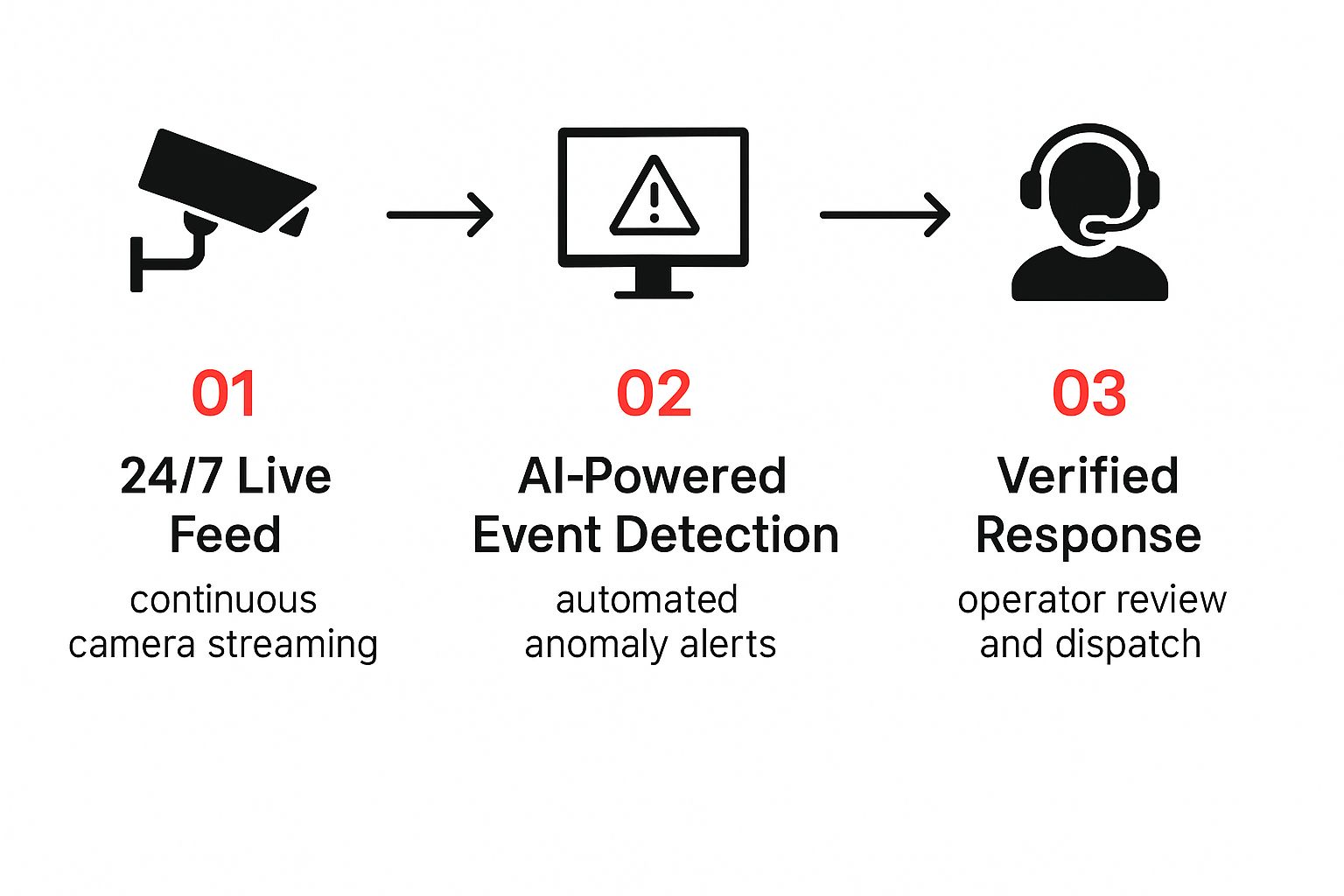
As you can see, each stage builds on the last—from constant digital observation to intelligent filtering and, finally, a verified human response.
A Coordinated and Decisive Response
The final action from our agent is always tailored to the specific incident and your property’s pre-approved security protocols. This can include several measures:
- Direct Audio Intervention: Using two-way speakers on-site, our agent can issue a live audio warning. A direct statement like, "You are in a restricted area and are being monitored. Leave the premises immediately," is often enough to send a would-be criminal running.
- Dispatching Mobile Patrol: If the situation calls for an on-site presence, the agent can dispatch an Overton Security mobile patrol unit to your location, providing precise details along the way.
- Contacting Law Enforcement: For serious threats like a break-in or vandalism in progress, the agent will contact the authorities with verified, actionable information that police can act on immediately.
This integrated process ensures every alert is handled with speed and precision, transforming your surveillance system from a set of cameras into a formidable security asset.
Key Benefits for Your Property
What does implementing remote video monitoring truly achieve for your property? It's more than adding cameras; it’s a fundamental shift in your security strategy that delivers measurable results. We are talking about three core advantages: preventing threats, saving money, and ensuring accountability.
For property managers, construction superintendents, and HOA boards, this is a game-changer. You move from a reactive model of cleaning up after a crime to a proactive stance that stops incidents in their tracks. It’s a powerful change that directly protects your people, your assets, and your bottom line.
Proactive Threat Deterrence
The single biggest advantage of remote video monitoring is its power to stop unwanted activity in its tracks. A standard camera just records a crime for later review. A monitored system actively prevents it.
Consider a construction site after dark—a prime target for thieves looking for expensive equipment and materials. When a trespasser enters the site, our AI-enhanced cameras instantly flag the activity to a live agent in our 24/7 Security Operations Center (SOC). That agent doesn't just watch; they act.
- Two-Way Audio: A clear, authoritative voice from an on-site speaker—"You are trespassing on private property and are being recorded"—is incredibly effective. It signals they've been seen.
- Lights and Sirens: The area can be flooded with flashing lights and alarms. This sense of exposure is usually enough to send them running.
- Immediate Dispatch: Our agents provide verified, real-time details to police or an Overton mobile patrol unit, ensuring a fast, targeted response.
This live intervention turns your property from an easy target into a hardened one, preventing losses before they occur.
Significant Cost Savings
While an on-site security guard provides an excellent physical deterrent, the cost of staffing a property around the clock can be substantial. Remote video monitoring offers a powerful alternative—or a smart supplement—for a fraction of that cost. You get eyes on your entire property, not just what one person can see, without the significant payroll expense.
By blending smart technology with expert human oversight, remote monitoring can often reduce a property's security budget by up to 60% compared to traditional on-site guard services, all while expanding surveillance coverage.
This efficiency places top-tier security within reach for various properties, from large HOAs to commercial centers in Los Angeles or San Jose. It's no wonder the investment is growing so rapidly. The Remote Video Monitoring Service Market, valued at USD 3.5 billion in 2024, is expected to climb to USD 8.2 billion by 2033. You can read more about the remote video monitoring market growth to see just how quickly businesses are adopting this service.
Enhanced Accountability and Documentation
Every event our system detects and every action our agents take is logged, down to the second. Following an incident, you receive a detailed digital report with time-stamped video clips. This level of documentation is invaluable.
For property managers, these reports serve as clear proof for liability claims, insurance purposes, or law enforcement assistance. For an HOA board, it provides total transparency, reassuring residents that security protocols are being followed and protecting the community's assets. You always know what’s happening on your property and have the records to prove it.
Practical Applications Across Industries
Remote video monitoring isn't a one-size-fits-all product. Its real strength lies in its adaptability. This is a security solution that can be fine-tuned to tackle the specific vulnerabilities that concern you most—whether it's protecting high-value machinery, ensuring resident safety, or preventing retail theft.
The security pain points of a construction superintendent are different from those of an HOA board member. One worries about theft of heavy equipment and copper wire; the other focuses on preventing unauthorized pool access and package theft. An effective remote video monitoring service understands and addresses each problem directly.
The goal is to move beyond generic surveillance and build a security posture tailored to your property. By focusing on specific outcomes—like reducing after-hours loitering or stopping illegal dumping—your camera system becomes an active, powerful operational tool.
Protecting High-Value Construction Sites
Construction sites are magnets for crime. They are often open and, after crews leave, filled with millions of dollars in vulnerable equipment, tools, and materials.
This is where remote monitoring excels. With cameras strategically placed to cover the perimeter, material laydown yards, fuel tanks, and equipment staging areas, we maintain constant watch. The moment our AI-powered system detects a person or vehicle on-site after hours, our monitoring agents take action. They can:
- Activate floodlights and sirens to startle intruders.
- Use two-way speakers to deliver a direct audio warning, confirming they are being watched live.
- Dispatch a mobile patrol unit or local police with precise, real-time details.
This proactive approach stops theft before the damage is done, preventing costly project delays and equipment replacement.
Securing Commercial and Retail Properties
For managers of commercial properties in hubs like Los Angeles or San Jose, the challenge is balancing robust security with a welcoming atmosphere. Remote monitoring is the perfect fit for watching over large areas where a single guard cannot be everywhere at once.
- Parking Garages and Lots: We monitor for loitering, vandalism, and other suspicious behavior to create a safer environment.
- Loading Docks and Service Corridors: These areas are common targets for break-ins or internal theft; we can help secure them.
- Common Areas: Lobbies, plazas, and courtyards can be overseen to discourage unwanted activity and provide a sense of security.
When our agents spot an issue, they can often resolve it remotely. For times when you need boots on the ground, the system integrates seamlessly with existing security staff or our mobile patrol security services for a fast, coordinated response.
Enhancing Safety for HOAs and Residential Communities
In any residential community, peace of mind is paramount. HOA boards and property managers are tasked with protecting community assets and ensuring residents feel safe without creating a fortress-like environment. Remote video monitoring can discreetly watch over key areas.
- Access Points: Gates, entryways, and pedestrian paths are monitored to deter unauthorized individuals.
- Amenities: We can watch over pools, clubhouses, and fitness centers to prevent vandalism and enforce community rules after hours.
- Mailrooms and Package Areas: Package theft is a significant concern. Monitoring these high-traffic zones is a powerful deterrent.
By focusing strictly on public and common areas, we help protect the entire community while fully respecting resident privacy. It’s about creating a safer environment where everyone can feel secure.
Choosing the Right Monitoring Partner
The power of a remote video monitoring system isn't just in the cameras; it’s in the partner you choose. The difference between a system that merely records incidents and one that actively stops them comes down to the people and processes behind the technology. This is the most important decision you'll make.
A true security partner delivers a complete solution built on human expertise, not just hardware. When evaluating providers, look beyond the tech specs and focus on the quality of their Security Operations Center (SOC) and the skill of their agents. This is what turns video data into real-world deterrence.
What to Look for in a Provider
Finding a security partner means asking the right questions and looking for signs of quality and commitment. A dependable provider should have a deep, practical understanding of your industry’s unique risks, whether you're securing a construction site or a retail center in Southern California.
Here are a few things to consider:
- Industry Experience: Do they have a proven history of protecting properties like yours? With 26 years of experience, Overton Security understands the specific challenges that HOAs, commercial properties, and construction sites face.
- Agent Professionalism: Are the monitoring agents well-trained and supported? A provider that invests in its people, rather than relying on a "burn and churn" model, will have more skilled agents making smart, quick decisions.
- Leadership and Service: Does the company prioritize service with hands-on leadership and a low manager-to-client ratio? This ensures you receive personal attention and aren't just another account number.
Integrating Technology with People
Even the most advanced camera system is incomplete without a reliable team ready to act on alerts. A top-tier provider flawlessly connects their technology with dependable mobile patrol services. When an SOC agent confirms a threat, they need a direct line to dispatch a patrol officer with precise, actionable information.
This blend of human expertise with smart technology is at the heart of our approach. We believe in quality over quantity, focusing on real-time accountability and consistent service.
Ultimately, you are not just buying a service; you are building a partnership. The right choice brings peace of mind, knowing that seasoned professionals are protecting your assets 24/7. To learn more, read our guide on the key factors to consider when hiring a security agency.
Common Questions About Remote Monitoring
Exploring a new security solution always brings up questions. When it comes to remote video monitoring, getting clear answers helps you make a confident decision. We believe in being transparent, so we want to address the common concerns we hear from property managers, business owners, and HOA board members.
Below, we answer some of the most frequent questions to help you determine if this service is the right fit for your property.
Is Remote Monitoring Better Than an On-Site Guard?
This is a great question. The best way to think about it is not "better or worse," but "different tools for different jobs." An on-site guard provides an immediate physical presence, which is excellent for direct interaction, customer service, and hands-on tasks.
Remote monitoring, however, excels at providing constant, cost-effective surveillance over large areas. The real value is often realized when you combine them.
Our remote agents act as your “eyes in the sky,” using advanced cameras to spot and verify a threat instantly. They can then dispatch an on-site patrol officer directly to the incident with precise information, giving you a swift, informed response without the high cost of 24/7 on-site staffing.
What Happens if the Internet or Power Goes Down?
A professional security plan is built with reliability in mind. We build in redundancies to ensure continuous operation. For instance, professional-grade cameras have on-board local storage, meaning they continue recording during an internet outage and upload the footage once the connection is restored.
More importantly, our 24/7 Security Operations Center (SOC) continuously monitors the health of your entire system. We receive instant alerts if a camera goes offline or the network fails, allowing us to dispatch technicians or patrol officers to troubleshoot the issue promptly. Your security is never left to chance.
Can I Use My Existing Security Cameras?
In many cases, yes. The primary requirement is that your existing cameras are modern IP-based models that provide a clear, high-resolution video stream. The effectiveness of our remote agents depends on the quality of the footage they see.
As part of our initial consultation, our experts will conduct a full assessment of your current camera setup. We will tell you directly if your equipment is suitable for effective remote video monitoring or suggest cost-effective upgrades to fill any gaps. Our goal is to ensure you receive the full protective benefit of our service.
How Is Privacy Respected in Residential Areas?
This is non-negotiable for us, especially in HOAs and apartment communities. Protecting resident privacy is a top priority, and our process is designed with strict controls from the start.
We work with you to plan camera placement carefully, ensuring coverage of only public and common areas. This typically includes:
- Entrances, exits, and access gates
- Parking lots and garages
- Lobbies, hallways, and mailrooms
- Shared amenities like pools, clubhouses, and fitness centers
We never position cameras to view into private homes or areas with a reasonable expectation of privacy. Our agents are trained to focus only on security events in these pre-approved zones, protecting the community while upholding individual privacy. For those interested in the broader aspects of personnel selection, our guide offers valuable insights on how to hire security guards who understand these professional boundaries.
Ready to see how a proactive, intelligent security solution can protect your property and your budget? The team at Overton Security is here to design a remote monitoring plan tailored to your specific needs.