A property manager in California can have excellent cameras, reliable access readers, a responsive alarm panel, and professional patrol officers, yet still lack a dependable security operation. The problem usually isn't the equipment. It's the gap between systems, teams, and accountability.
An electronic security systems integrator closes that gap by designing the technical environment, connecting separate platforms, testing the workflow, and defining what happens after installation. For a commercial campus, residential community, retail center, hospital, or construction site, the true measure of success is simple: when an event occurs, can the right person see it, understand it, respond to it, and document the outcome?
When Cameras, Access Control, and Patrols Don't Talk to Each Other
A property manager at a mid-size commercial campus receives a report of tailgating at a controlled entrance. Someone followed an authorized employee through the vehicle gate before it closed. The manager checks the access-control platform and finds a credential event that might match the time of entry. Then they open the video-management system and search manually, adjusting the timeline until they find a camera view from roughly the same period.
Twenty minutes later, the manager locates the clip. The guard tour report from that same window contains no related note. Each system worked, but the information remained separated across three dashboards. No one had configured the access event to bring up video, and no workflow connected the guard's activity record to the incident review.
That's the operational difference between standalone security devices and an integrated security environment. Integration allows systems to share events, timestamps, identifiers, and response instructions. A denied access attempt might open the relevant camera view. An alarm might create a priority event for a security operations center, or SOC. A guard tour checkpoint can help confirm whether an officer was near the affected entrance when the event occurred.
Practical rule: A system isn't integrated because every device uses a network cable. It's integrated when people can follow an event from detection through response and documentation.
The same principle applies to specialized access environments. Storage facilities, for example, may use controlled doors, electronic locks, and tenant credentials that need to align with video and incident records. A resource such as browse Dasco storage solutions can help property teams understand how storage access hardware fits into a broader access-control conversation.
Integration also clarifies responsibility. The installer shouldn't say that the camera works, while the access vendor says the reader works and the patrol provider says the report was submitted. The property needs one operating picture, documented handoffs, and a clear answer to who investigates an event. A useful overview of this approach is available in Overton's guide to the integration of security systems.
What an Electronic Security Systems Integrator Actually Does
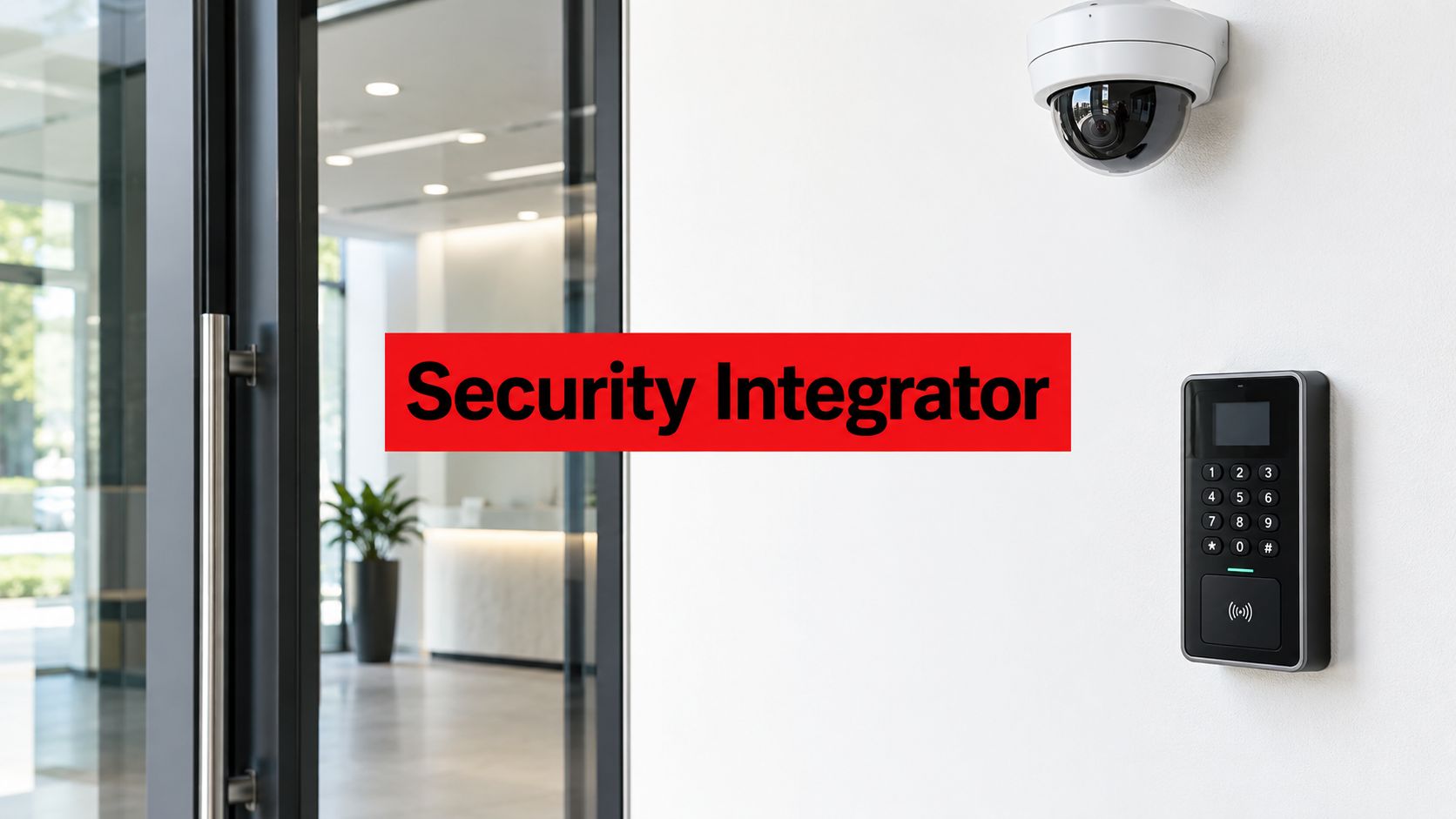
An electronic security systems integrator designs, installs, configures, and maintains a coordinated security environment. The environment may include video surveillance, access control, intrusion detection, intercoms, visitor management, building interfaces, and guard tour systems.
The integrator isn't the camera manufacturer. It isn't automatically the monitoring center, and it isn't the guard service. Instead, it connects the technical components and makes sure they support the operating model established by the property owner, security director, SOC, facilities team, and IT department.
A sound project usually includes these responsibilities:
- Site survey and risk assessment: The integrator reviews entrances, restricted areas, loading zones, parking areas, tenant spaces, network pathways, lighting, power, and emergency procedures.
- System design and engineering: Drawings, device locations, coverage objectives, network requirements, storage assumptions, and failure behavior are defined before installation.
- Installation and cabling: Technicians mount devices, build equipment rooms, label connections, and verify power and communications.
- Configuration: Administrators set permissions, schedules, alarm rules, camera views, retention settings, notifications, and user roles.
- Interoperability work: The integrator connects platforms through supported APIs, event mappings, or relevant ONVIF profiles rather than relying on a general claim that products are “open.”
- Commissioning and acceptance testing: The team tests actual workflows, not just individual devices.
- Training and maintenance: Property personnel receive usable documentation, and the service plan defines updates, repairs, reviews, and escalation.
The role becomes easier to understand when you separate equipment ownership from system accountability. A manufacturer can explain how its reader or camera operates. An integrator must explain how that reader, camera, alarm, network, and operator workflow function together on the property.
The same discipline applies when a project involves confidential spaces or suspected listening devices. Property teams exploring technical counter-surveillance work can review UK bug sweeping services for broader context, while keeping in mind that bug detection is a specialized service rather than a substitute for electronic security integration.
The Integrator Project Lifecycle From Design to Maintenance
A strong project leaves the property manager with a verifiable deliverable at every stage. That record matters because an undocumented system becomes difficult to troubleshoot, expand, or transfer to another service provider.
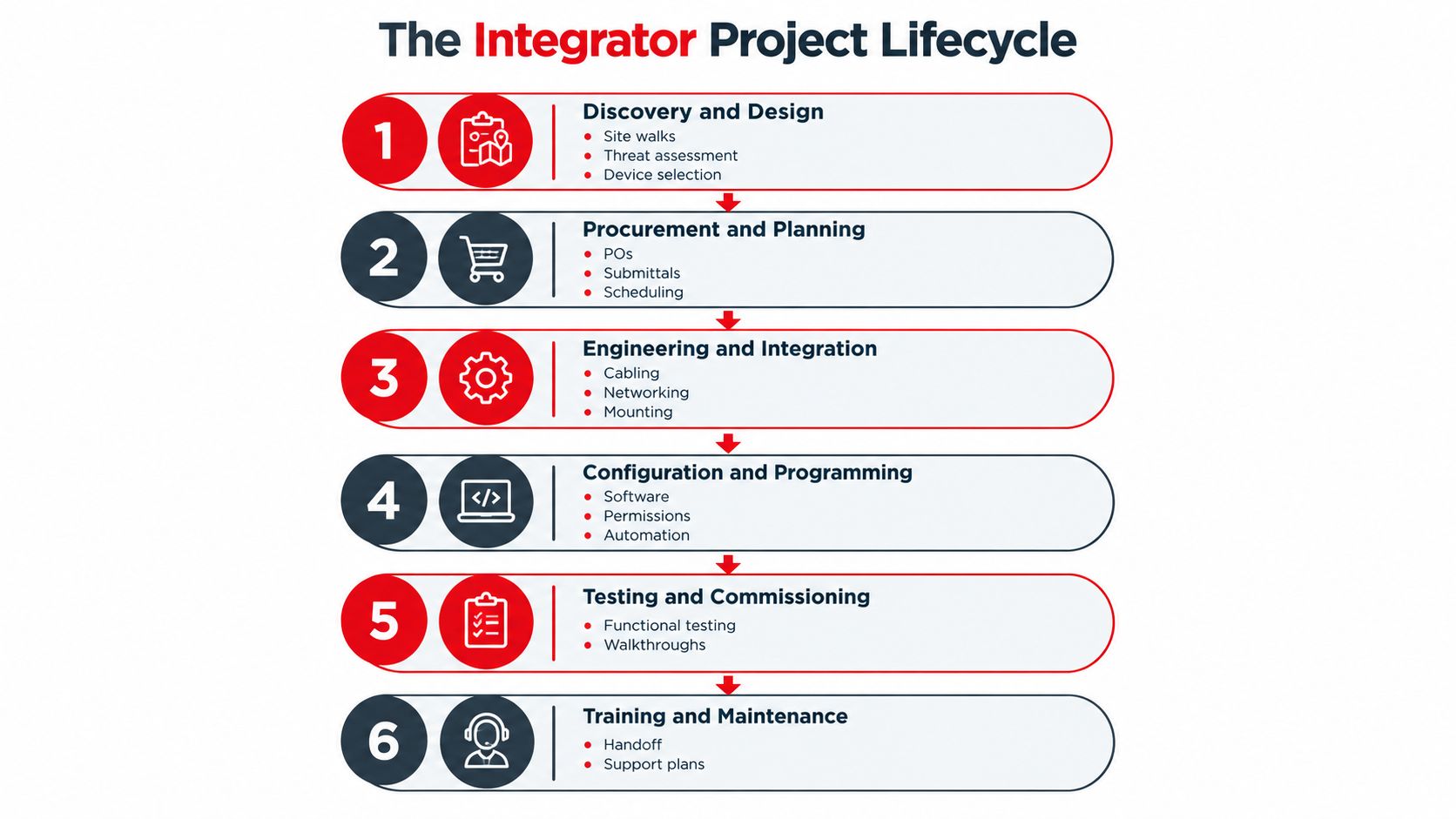
Discovery and design
The integrator walks the site, identifies operational risks, reviews existing infrastructure, and documents the desired outcomes. For a retail center, that may mean public entrances, back-of-house doors, parking, delivery areas, and tenant coordination. For a construction site, it may include temporary fencing, equipment storage, changing access points, and remote visibility.
The deliverable should include a risk assessment, proposed device locations, network and power requirements, system architecture, and design drawings. A property manager should be able to ask why each device exists and what operational decision it supports.
Procurement and pre-build
Before equipment arrives, the team should establish a staging plan, firmware baseline, naming conventions, credential structure, and network design. Pre-building the configuration can expose compatibility problems before technicians are working above a ceiling or inside an occupied building.
Installation
Installation covers cable pathways, device mounting, equipment-room construction, controller placement, camera focus, reader alignment, and power resilience. The finished work should be labeled and photographed so later technicians can identify each component without guessing.
Integration and configuration
Separate functions become a workflow here. Access events can be associated with camera views. Alarm panels can send events to a VMS or physical security information management platform. Guard tour checkpoints can be reviewed beside access records and incident reports. Retention rules and user permissions should match the property's operational and privacy requirements.
For commercial properties planning new deployments, commercial security systems installation provides a useful reference point for the relationship between physical installation and ongoing service.
Commissioning and acceptance
Commissioning should include point-to-point tests, event verification, failover checks, user walkthroughs, and confirmation that alerts reach the correct destination. The acceptance package should contain test results, exceptions, training records, and as-built documentation.
Maintenance
The final phase includes preventive service, firmware management, patching, replacement planning, and recurring system-health reviews. A system isn't finished when the installer leaves. It's finished when the client knows how it will be operated and maintained.
How Integrators Work With SOCs and Guard Tour Systems
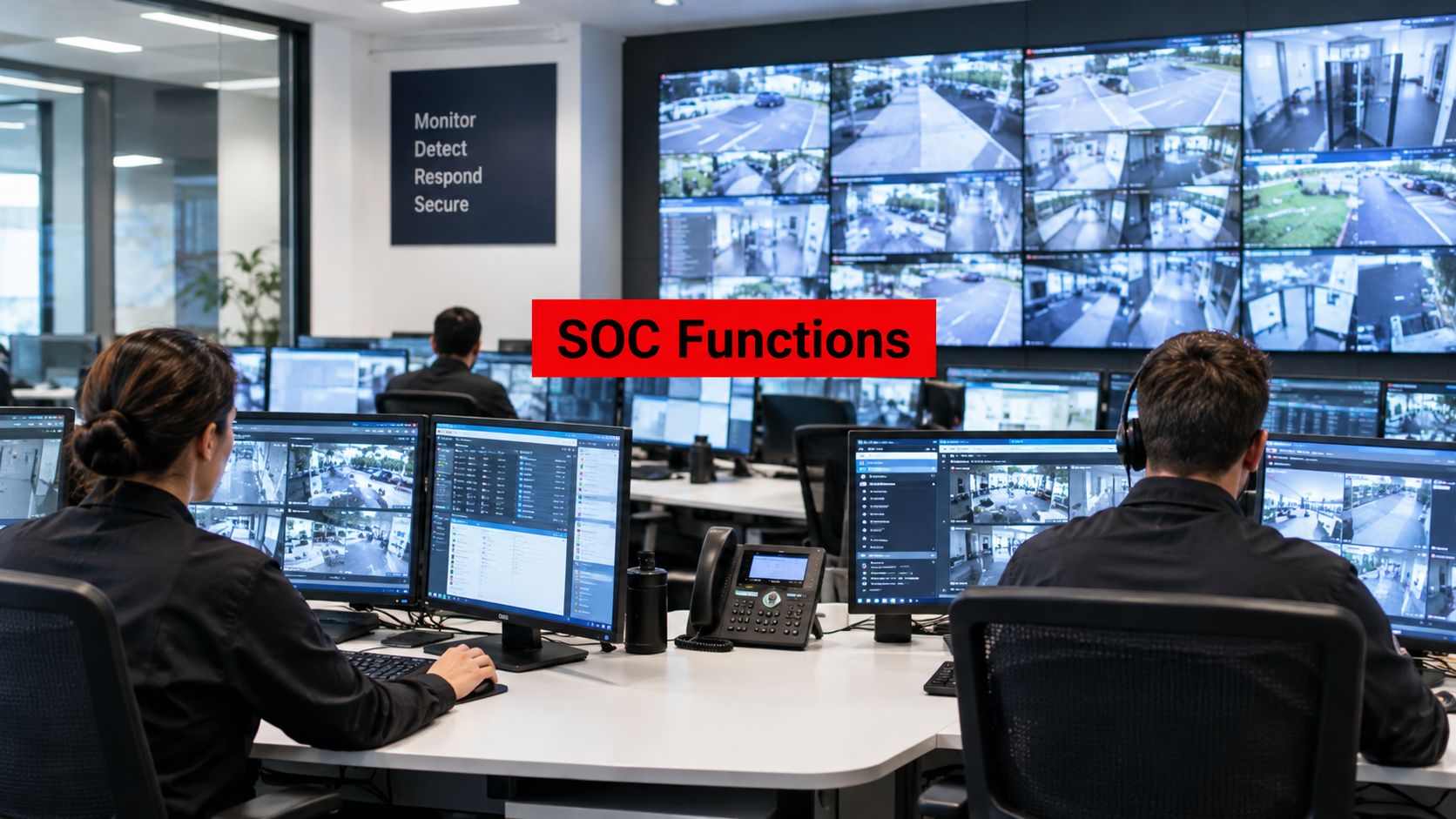
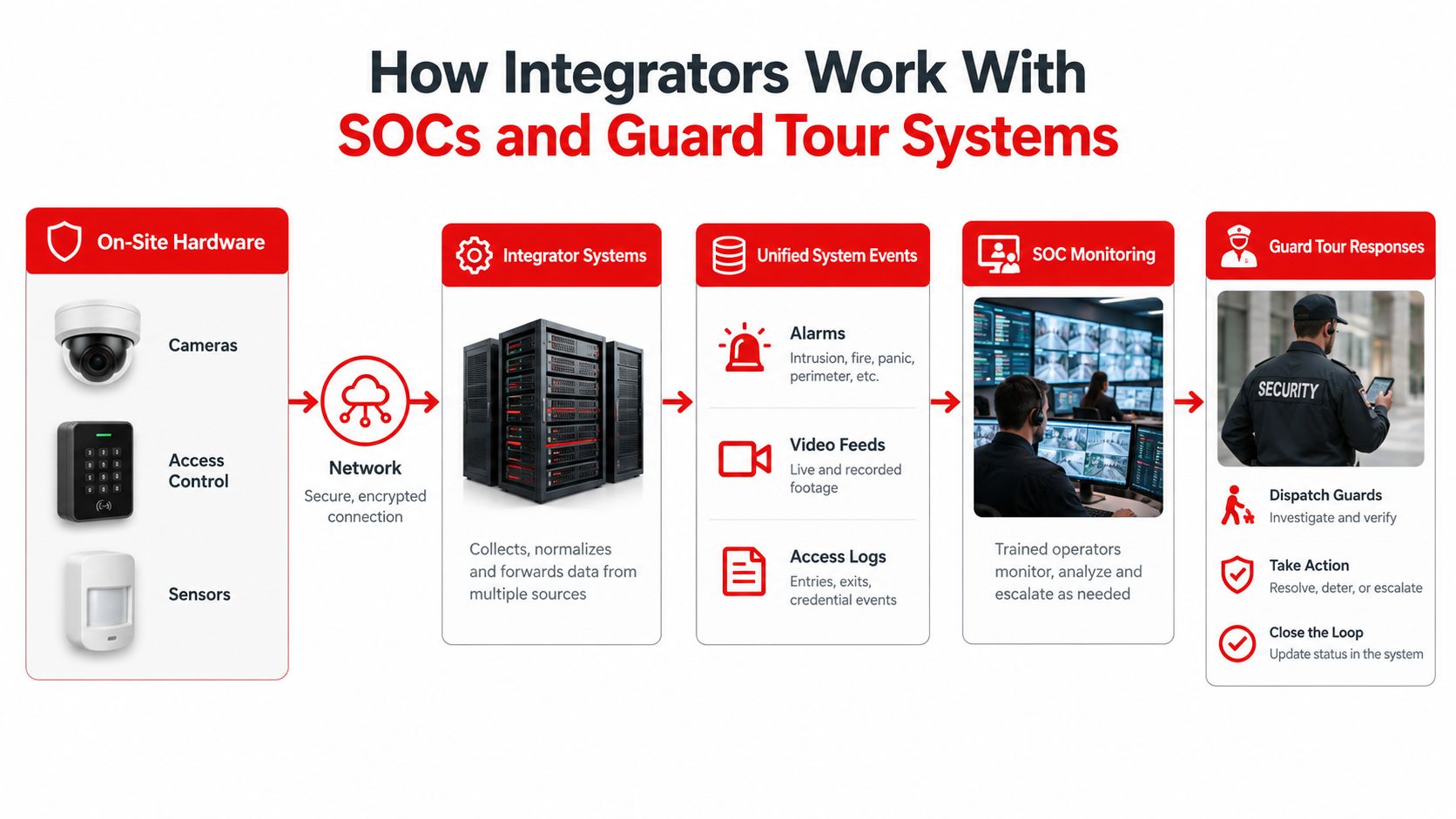
A SOC turns technical events into human decisions. It may receive access alarms, video alerts, intercom calls, intrusion signals, and operator requests. A guard tour management system, or GTMS, records officer rounds, checkpoint scans, digital reports, photos, and incident details.
The integrator connects the technical sources so the SOC doesn't have to reconstruct every event manually. An access-control panel may send a forced-door event to the monitoring platform. The platform can present the associated camera view, while the GTMS records whether an officer reached the location and what the officer observed.
The event path matters
A practical event path looks like this:
- A device detects a condition, such as a forced door, invalid credential, motion event, or intercom call.
- The security platform receives and normalizes the event.
- The SOC sees the event with the relevant location, timestamp, priority, and response instruction.
- The operator reviews live or recorded video and follows the escalation matrix.
- A field officer responds, scans the relevant checkpoint, and records observations in the GTMS.
- The property receives a documented record that connects the original event with the response.
The timestamp and event identifier are critical. If the access platform, VMS, SOC, and GTMS use inconsistent time or naming conventions, the operator may see four records that appear unrelated. The integrator should document event ID mapping, API behavior, system clocks, and failure conditions.
Integration isn't monitoring
An integration contract covers design, connection, programming, testing, and technical support. A monitoring contract defines who watches events, what happens during escalation, and how operators communicate with the property or field personnel. One contract doesn't automatically include the other.
Property managers should request API documentation, event mappings, escalation matrices, user-role definitions, and a clear handoff process. Overton's guard tour management materials illustrate the operational side of time-stamped patrol activity, digital reports, checkpoint verification, and incident documentation.
How to Choose the Right Integrator for Your Property
A low-voltage vendor can install equipment correctly and still be the wrong partner for a multi-site security operation. The difference appears in design ownership, documentation, commissioning, service capacity, and the willingness to explain what happens after turnover.
| Criterion | Question to Ask | Strong Answer | Weak Answer |
|---|---|---|---|
| Capability and credentials | Which licenses, certifications, and manufacturer authorizations apply to this scope? | The vendor identifies the qualifications tied to the actual equipment and work, then provides evidence. | “Our technicians know these systems” without project-specific documentation. |
| Comparable experience | Can you show projects with similar property types, operating hours, and integrations? | References can explain how the vendor handled design, testing, service, and change requests. | References describe equipment deliveries but not operational outcomes. |
| Engineering ownership | Who creates the drawings, network plan, event map, and acceptance procedure? | Named engineering staff produce reviewable documents before installation. | The sales proposal is treated as the design package. |
| Service operations | Who handles faults, replacements, returns, and after-hours escalation? | The vendor explains the service desk, field coverage, replacement process, and escalation path. | The answer depends on whoever happens to be available. |
| Documentation | What will we receive at handoff? | The package includes as-built drawings, asset inventory, credentials process, configuration records, and test results. | Documentation is described as “available if needed.” |
| Contract terms | What happens after warranty support ends? | Rates, response expectations, software terms, training, and change-order rules are written clearly. | The proposal focuses on the initial equipment price. |
| Interoperability | Which ONVIF profiles, APIs, exports, and integrations will be tested? | The vendor names supported functions and includes them in acceptance testing. | The vendor relies on the phrase “IP-based” or “open platform.” |
The lowest bid often excludes the work that protects long-term performance. Commissioning time, cybersecurity hardening, accurate drawings, training, and integration testing may be absent even though the cameras and readers appear in the bill of materials.
Ask for one example of a failed device, a software issue, and a post-installation change. A mature integrator can explain who acted, how the issue was documented, and what the client received afterward.
Standards and Certifications That Shape a Good Project
Standards matter because they turn broad promises into testable expectations. They don't replace professional judgment, local requirements, or a site-specific risk assessment, but they help a property manager ask better questions.
ONVIF profiles are especially useful for interoperability. ONVIF identifies fixed feature sets that conformant devices and clients must support. Relevant profiles include Profile A for access-control configuration, Profile C for door control and event management, Profile D for access-control peripherals, Profile G for edge storage and retrieval, Profile M for metadata and analytics events, Profile S for basic video streaming, and Profile T for advanced video streaming. The ONVIF profiles reference explains why compatibility should be tested at the profile and function level.
A camera described as IP-based may still fail to provide the exact stream, metadata, event, or storage function a project needs. The integrator should verify live video, event transmission, credential changes, door commands, edge recording, and metadata exchange before acceptance.
Standards translated into project questions
The IEC 62676 family addresses the selection, planning, installation, commissioning, maintenance, and testing of video-surveillance systems. IEC 60839-11-2 addresses installation and operation of electronic access-control systems at different protection levels, while IEC 60839-11-1 covers functionality, performance requirements, and test methods for access-control systems and components. The IEC technical committee reference provides the relevant standards context.
For property managers, the practical questions are direct:
- Who validates camera positioning and coverage?
- Who tests permissions, door commands, and alarm responses?
- Who records exceptions before final acceptance?
- Who schedules recurring maintenance and testing?
- Which requirements apply to the property's use, occupants, privacy obligations, and network?
Cybersecurity needs the same practical treatment. NIST identifies physical access-control systems as operational technology, or OT, rather than treating them as ordinary standalone IT endpoints. Its OT security guidance supports layered physical controls, restricted access, network segmentation, documented ingress and egress, and defined fail-safe behavior for power, communication, and controller outages.
A certification or standard is a baseline. The project still needs evidence that the installed system performs correctly in the actual building.
Who Owns the System After It Goes Live
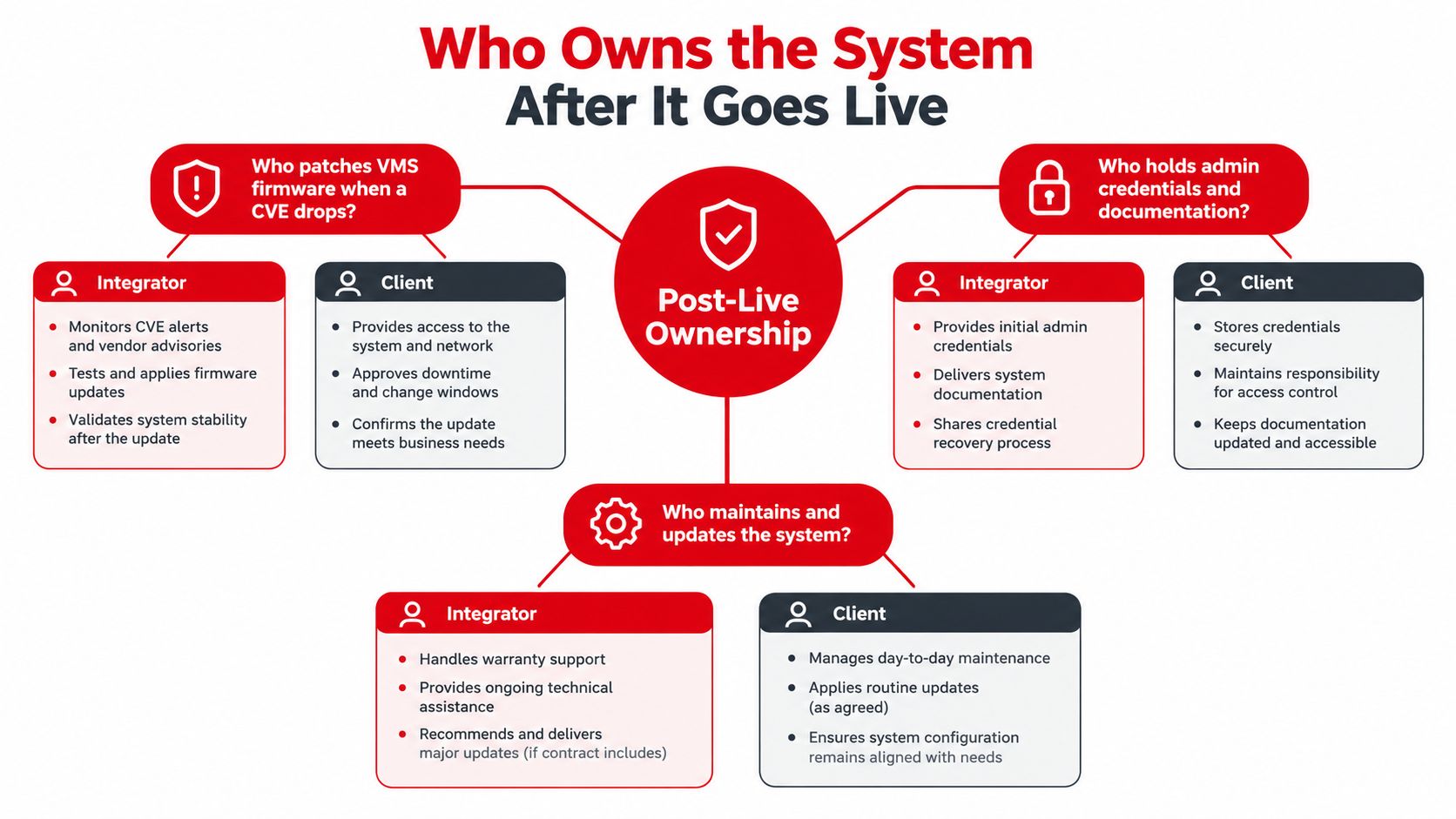
The handoff is where responsibility can become unclear. A property manager should be able to answer three live questions without calling the original salesperson:
- Who patches the VMS or controller firmware when a vulnerability requires attention?
- Who controls administrator credentials and the master password vault?
- Who responds when the access-control database fails outside normal business hours?
These questions concern operational ownership, not just technical ownership. The client may own the hardware while the integrator manages software updates. The IT team may control the network while the security team controls user permissions. A SOC may monitor alarms while a separate service desk maintains the platform. Those arrangements can work, but only when the boundaries are written down.
Warranty isn't the same as managed support
A warranty generally addresses defects or failures within defined terms. A managed service agreement may include remote support, health checks, maintenance coordination, cybersecurity updates, reporting, and escalation. The property manager should compare the actual obligations rather than assume that a warranty provides ongoing operational coverage.
The five-year view exposes costs that an installation quote can hide:
- recurring software licenses and possible escalators
- cloud storage, bandwidth, and data export
- replacement hardware and proprietary readers
- integration changes and API support
- training for new administrators
- investigation time when alerts require manual review
- resilience during an internet or cloud outage
- migration costs if another integrator takes over
“Open” doesn't automatically mean portable. Ask whether the client can export footage, credentials, event data, configurations, and reports in usable formats. Confirm whether analytics, readers, controllers, or licenses remain tied to one manufacturer.
Ownership should be visible in documents, not inferred from a handshake.
The handoff package should include as-built drawings, an asset inventory, credential-management procedures, a current network diagram, configuration records, event mappings, maintenance responsibilities, and any source-code escrow terms for custom integrations. That package gives the property a defensible starting point when personnel, vendors, or operating requirements change.
A Practical Checklist Before You Sign a Contract
Treat the proposal as an operational plan, not a price sheet. Before signing, ask the integrator to provide evidence and contract language covering these areas:
- Qualifications: Verify applicable NICET or manufacturer credentials where relevant to the scope, and confirm who will perform engineering, programming, and testing.
- Comparable references: Request references for similar California properties and ask how the vendor handled service, documentation, and system changes.
- Cybersecurity plan: Require written practices for patching, segmentation, credential management, remote access, logging, and incident escalation.
- Detailed scope: Identify included work, exclusions, assumptions, cabling limits, configuration tasks, integrations, training, and change-order pricing.
- Five-year cost model: Separate hardware, labor, software licenses, cloud services, storage, maintenance, replacement parts, and managed support.
- Service levels: Name response and resolution expectations, after-hours contacts, escalation steps, and replacement procedures.
- Handoff records: Specify as-built drawings, asset inventories, network diagrams, event maps, test results, credentials procedures, and training records.
- Exit rights: Confirm data export formats, contract termination terms, third-party takeover rights, and support for replacing proprietary components.
- Acceptance testing: Define the functional test before final payment, including access events, video retrieval, alarms, failover behavior, reporting, and user permissions.
The most useful final question is, “What will our team be able to operate and verify on the first day after handoff?” If the answer depends on undocumented knowledge held by one technician, the project isn't ready for signature.
Overton Security combines professional security officers, mobile patrols, surveillance installation, remote monitoring, GPS-enabled guard tour reporting, and 24/7 SOC oversight to support the human and technical sides of property protection. Visit Overton Security to discuss a California security program with clear ownership, documented accountability, and service built around your property's operating needs.