Are you confident that only authorized individuals access your property and systems when you need them to?
Access Control In Security is like a sturdy front door paired with a secret PIN. At its core, it decides who gets in—whether that’s to a physical building or a digital network—and when they’re allowed inside.
With Overton Security’s 26 years of experience, we prioritize quality over quantity, offering a low manager-to-client ratio, hands-on leadership, and real-time accountability. Whether you oversee commercial properties in Los Angeles, HOA communities in San Jose, or construction sites in Orange County, access control is foundational to your security strategy.
Understanding Access Control
Access control blends layers of protection to guard both physical sites and virtual assets. Think of it as a multi-layered shield: each layer stops a different kind of intruder.
Core Mechanisms
- Mechanical Locks secure doors and gates with keys or combination dials, much like the lock on your front door.
- Card Readers grant entry when someone swipes or taps an RFID badge against a reader.
- Biometric Scanners verify a person’s identity by checking fingerprints, facial features, or even iris patterns.
- Mobile Credentials turn smartphones into digital badges that expire on a schedule you set.
- Cloud-Hosted Solutions centralize permission settings in a web-based dashboard, so you can update access from anywhere.
For instance, a property manager might send a one-time badge to a contractor’s phone and adjust its expiration to match project hours.
HOA boards and small business owners lean on access control to keep unauthorized visitors out, protect valuable equipment, and streamline daily operations.
Key Insight: Combining physical and logical controls builds a robust security framework that adapts to each property’s unique needs.
Summary Of Access Control Types
Let’s compare the main methods side by side:
| Type | Definition | Common Use Case |
|---|---|---|
| Mechanical Lock | Traditional keyed or combination lock | Securing storage rooms or basic entry points |
| Proximity Card | RFID badge granting contactless access | Office lobbies and gated-community entrances |
| Biometric Scanner | Identity check using fingerprints or facial features | High-security labs and data centers |
| Mobile Credential | Smartphone-based digital badge with configurable controls | Temporary site access and mobile workforce |
| Cloud-Based Control | Centralized management of permissions via web interface | Multi-site portfolios and remote administration |
This overview simplifies matching each access control type to your property’s traffic patterns and security requirements.
Benefits And Integration
As your portfolio grows, these systems scale effortlessly. Cloud portals let you push remote updates in seconds, while audit trails log every entry and login attempt automatically.
Overton Security takes it further by blending technology with on-the-ground support. Our solution layers 24/7 SOC monitoring and GPS-verified patrols (via our Guard Tour Management System) on top of smart access controls.
“Real-time alerts and on-site validation close gaps that pure software can miss,” says a senior Overton operations manager.
Key advantages include:
- Improved compliance with safety and data regulations
- Reduced risk of theft and vandalism
- Enhanced tenant and employee confidence
- Centralized management for properties across multiple sites
Offering temporary access codes and mobile badges also streamlines contractor management—no more juggling spare keys.
Understanding the essentials of access control sets the stage for a deeper dive into core components and best practices. In the next sections, we’ll explore how to build, implement, and maintain a system that fits your specific needs.
Understanding The Core Components Of Access Control
Think of every secured door as a network permission gate. In much the same way your front door lock keeps unwanted guests out, access control determines who steps into physical spaces or logs into critical systems.
Behind the scenes, physical hardware and logical software join forces—one patrolling hallways and server rooms, the other managing credentials, roles and policy checks.
Let’s unpack how these layers work together, beginning with the tangible side of access control.
Physical Elements
- Mechanical Locks secure doors with traditional keys or coded combinations.
- Sensors and Turnstiles detect movement and regulate gate operations.
- Biometric Readers confirm identities through fingerprints, facial scans or iris patterns.
- Card Readers and Mobile Readers leverage RFID or NFC to read badges and smartphones.
Combined, these devices form the first line of defense against unauthorized entry.
“Layered hardware components stop most intruders before they reach critical areas,” notes an Overton Security specialist.
Every sensor, lock and reader ties back to a central platform for unified monitoring and reporting.
The infographic maps core elements—locks, card readers and biometrics—in a radial layout to show how they connect within an ecosystem.
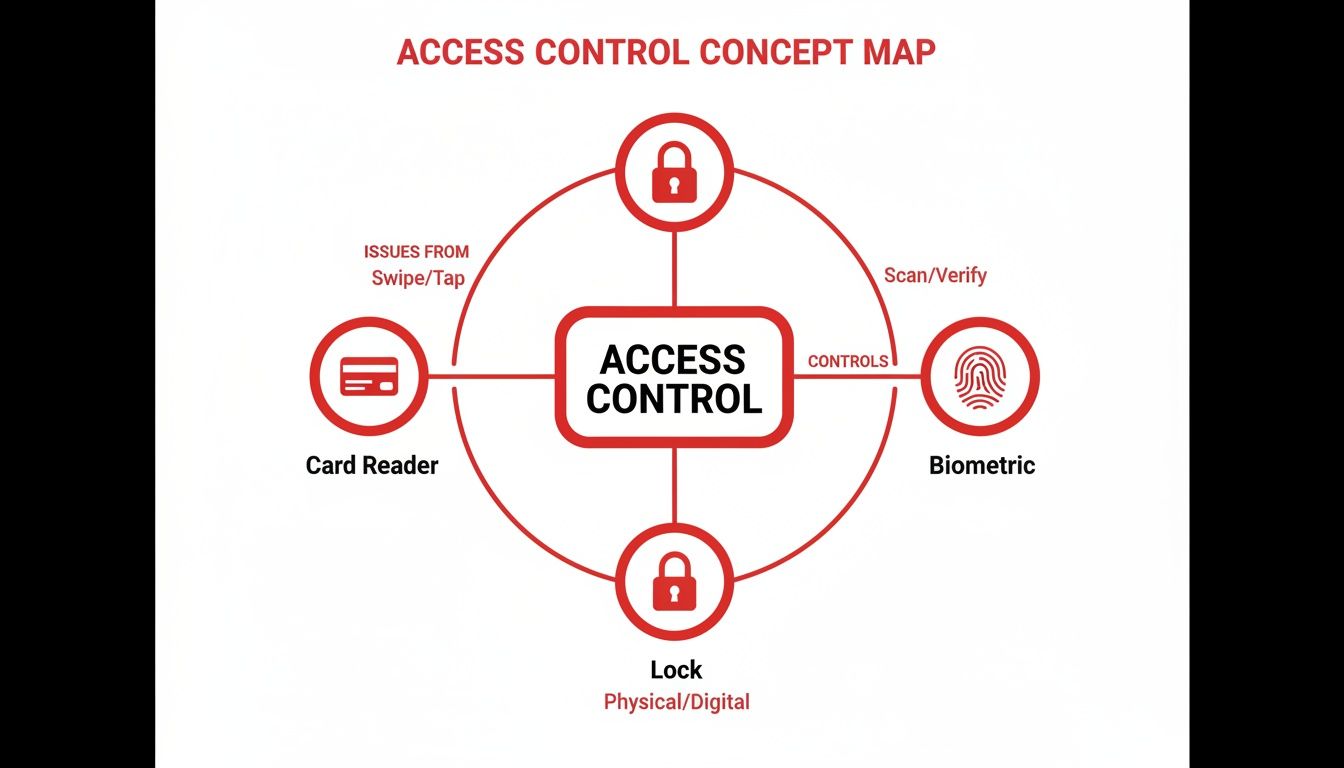
Key insight: Physical and logical nodes form a resilient network that balances safety with user convenience.
Logical Components
While hardware enforces the barrier, the software defines its behavior. Logical components include:
- Credentials such as badges, passcodes and digital certificates
- Authentication Methods ranging from simple PINs to multi-factor systems
- User Roles grouping permissions by function—think maintenance, management or visitor
- Access Policies outlining time windows, location constraints and escalation rules
These rules ensure every swipe or scan follows a clear decision tree, blocking the wrong identities and welcoming the right ones.
Next, let’s follow a credential’s journey from issuance to revocation.
A badge is created and assigned to a user. For instance, a contractor might receive a time-limited pass that automatically deactivates after their shift. By enforcing expiration dates, you prevent stale credentials from becoming hidden vulnerabilities.
Credential Management Best Practices
- Issue badges with clear expiration dates
- Track badge usage through daily digital reports
- Revoke credentials immediately after project completion
This lifecycle approach keeps permissions tight without slowing down routine operations.
Industry forecasts put the access control market between USD 10–19 billion by the mid-2020s, growing to USD 15.8 billion by 2030 and possibly hitting USD 61.3 billion by 2035. Learn more about access control market projections
Policy Design And Enforcement
- Define clear zones and access levels to avoid overlap
- Group users into role categories for streamlined rule assignment
- Automate rule checks to enforce compliance and reduce manual errors
Overton Security’s hands-on leadership and low manager-to-client ratio ensure policies aren’t just written—they’re rigorously enforced.
Overton’s approach ensures each checkpoint remains under careful watch, combining human expertise with smart technology.
Real-World Enforcement Example
Picture a maintenance crew that needs after-hours access to a server room. Overton’s SOC issues temporary credentials and notifies onsite guards the moment the badge is used. This live coordination stops unauthorized access in its tracks while keeping essential work on schedule.
Key Takeaways
- Balanced integration of locks and software delivers scalable, user-friendly security
- Clear credential lifecycles prevent stale permissions and audit headaches
- Hands-on leadership and low ratios boost policy compliance in the field
These core components lay the groundwork for any robust access control solution.
Next we will explore models and technologies that build on these core fundamentals.
Common Access Control Models And Technologies
Access control models are frameworks that decide who steps through a door or clicks into a secured folder. Think of them as a club’s bouncer—only, instead of judging your dance moves, they check credentials against a rulebook.
By matching the right model to your property portfolio, you’ll avoid one-size-fits-all pitfalls and build a system that scales. Below are the four main approaches, each taking a different route to say “yes” or “no.”
-
Discretionary Access Control (DAC)
Resource owners set permissions themselves. It’s perfect for tight-knit teams, but as headcounts grow, auditing can get messy. -
Mandatory Access Control (MAC)
A central authority labels users and assets—think “Confidential” or “Top Secret.” This rigid setup is a go-to for heavily regulated facilities. -
Role-Based Access Control (RBAC)
Permissions follow job titles. Visitor badges, employee cards, manager passes—each tier unlocks specific zones without guessing. -
Attribute-Based Access Control (ABAC)
Access rules shift based on context—time of day, device type, even geo-location. Ideal when you need real-time, granular checks.
Model Decision Logic
Before you invest in doors or dashboards, let’s see how these models line up:
| Model | Key Features | Typical Applications |
|---|---|---|
| DAC | Owner-defined permissions | Small offices and startups |
| MAC | Central label enforcement | Government facilities |
| RBAC | Role-centric access tiers | Corporate headquarters |
| ABAC | Context-aware policy checks | Dynamic cloud platforms |
Key Insight: Base your choice on portfolio size, regulatory demands, and the level of flexibility you require.
In a large corporate campus, RBAC often wins. Assign everyone a role—Staff, Executive, Contractor—and you’re done. But when projects shift by the hour or teams roam globally, ABAC’s context-driven checks take charge.
With the decision tree mapped out, let’s explore the hardware and software that bring these models to life.
Technology Stack And Case Example
Today’s access control systems marry physical devices and cloud services into one living network. Here’s what you’ll typically find:
- Proximity Cards that tap RFID badges at turnstiles and doors
- Biometric Scanners reading fingerprints or scanning faces
- Mobile Credential Apps turning smartphones into digital keys
- Cloud Panels offering dashboards for live event tracking
Imagine a logistics hub in the Bay Area that swapped old-fashioned keyed locks for mobile credentials across five sites. Lost-key incidents plunged by 85% almost overnight.
That screen shows door status, recent access attempts, and credential health in one glance.
Pairing mobile apps with cloud panels also makes life easier for visitors and contractors:
- SMS-based visitor codes sent in seconds
- Instant badge deactivation when shifts end
- Temporary access that vanishes at midnight
North America leads the pack in revenue, while the Asia-Pacific region is posting the fastest growth. The U.S. market hit USD 2.62 billion in 2024 and is forecast to climb to USD 3.68 billion by 2030 at a 6% CAGR. For a deep dive into these figures, check out the global access control trends report.
You might also want to explore our guide on apartment building access control systems here.
Choosing the right model and technology stack lays the groundwork for a cohesive security framework. Match DAC, MAC, RBAC, or ABAC to your property’s needs, and layer in the hardware to scale confidently with Overton Security’s expertise.
Benefits And Use Cases For Access Control
Access control acts like a digital gatekeeper—deciding exactly who can enter, exit, and move around your property. It’s more than just locking doors; it’s about reducing theft, cutting down vandalism, and closing compliance gaps.
Whether you manage a shopping center, gated neighborhood, or factory yard, the results speak for themselves once smart readers and real-time monitoring are in place. Overton Security’s clients often see happier occupants and fewer headaches on audit day.
- Insurance Savings: Premiums can drop by up to 20% when you have reliable, time-stamped entry logs.
- Theft Prevention: Controlled zones typically experience a 65% drop in unauthorized access.
- Compliance Support: Automated reports make safety and regulatory checks a breeze.
In a busy office tower downtown, switching to mobile badges cut unauthorized access attempts by 75% within weeks. Security teams review digital logs in seconds and spot odd patterns before they become emergencies.
Use Cases In Residential Settings
Gated communities gain peace of mind by combining automated entry gates with smartphone and fingerprint credentials. Homeowners love approving visitors on the go.
Resident Insight: “We no longer chase down contractors for keys; our smartphone passes work seamlessly,” reports an HOA board member.
- Visitor Logs capture names, timestamps, and host approvals—no paper trails.
- Temporary Passes expire automatically, cutting out lost-key headaches and admin tasks.
Industrial Applications And Integration
In factories and plants, restricting access to hazardous areas is crucial. Overton’s central SOC dashboard ties badge readers, video analytics, and patrol GPS into one clear picture.
- Issue time-bound badges for shift crews and contractors.
- Flag swipe failures and dispatch onsite guards with GPS-tracked routes.
- Auto-generate safety logs so you’re always audit-ready.
At a petrochemical site, badge readers plus video analytics sliced unauthorized zone entries by 80%. Alerts hit the SOC immediately, and patrol units were on scene within minutes.

Today, biometrics, mobile credentials, and managed access services are shifting how vendors package solutions. With 45–56% of revenue coming from hardware and software-led segments growing at a 6–12% CAGR, the industry is moving toward ACaaS models. Read the full research about access control market
Construction Site Efficiency
Building sites juggle dozens of subcontractors daily. Overton’s mobile credential platform issues passes that vanish once work wraps up.
- Set expiration rules for every pass.
- Sync badge data to cloud panels in real time.
Managers watch live dashboards to see who’s on site and when they clock out. That simple view cuts down on lost badges and stray credentials.
| Setting | Challenge | Access Control Feature |
|---|---|---|
| Commercial | Lobby tailgating | Visitor management and mobile badges |
| Residential | Lost keys and unauthorized guests | Automated gates and biometric scans |
| Industrial | Hazardous zone intrusions | Role-based badges and SOC alerts |
| Construction | Subcontractor credential creep | Time-limited mobile credentials |
Centralizing all this under one cloud dashboard lets Overton’s 24/7 SOC spot trouble at a glance. Paired with GPS-enabled patrols, you get:
- Unified Visibility: A single pane showing live access events, patrol updates, and alarms.
- Faster Incident Response: SOC analysts and on-site officers coordinate instantly.
- Scalability: Add new locations without extra hardware or days of configuration.
Implementing access control delivers stronger security, peace of mind, and tangible savings. From high-rise offices to industrial yards and gated communities, Overton Security crafts a solution that fits.
- Comprehensive Support: Installation assistance and a 24/7 help desk.
- Policy Review: Regular audits ensure permissions match current needs.
- Custom Reports: Analytics highlight usage trends and security gaps.
Ready to see how access control can elevate your property management? Contact us to learn more.
Maximizing Benefits With Expert Support
Overton’s low manager-to-client ratio means you’ll work closely with a dedicated expert at every stage. From policy design to deployment and ongoing audits, we’ll keep your system aligned with evolving risks.
- Expert Training: Officers and admins receive hands-on instruction for smooth operation.
Reach out for a free site survey and live demo. Let Overton Security guide every step toward seamless access control success.
Integrating Access Control With Onsite Guards And SOC
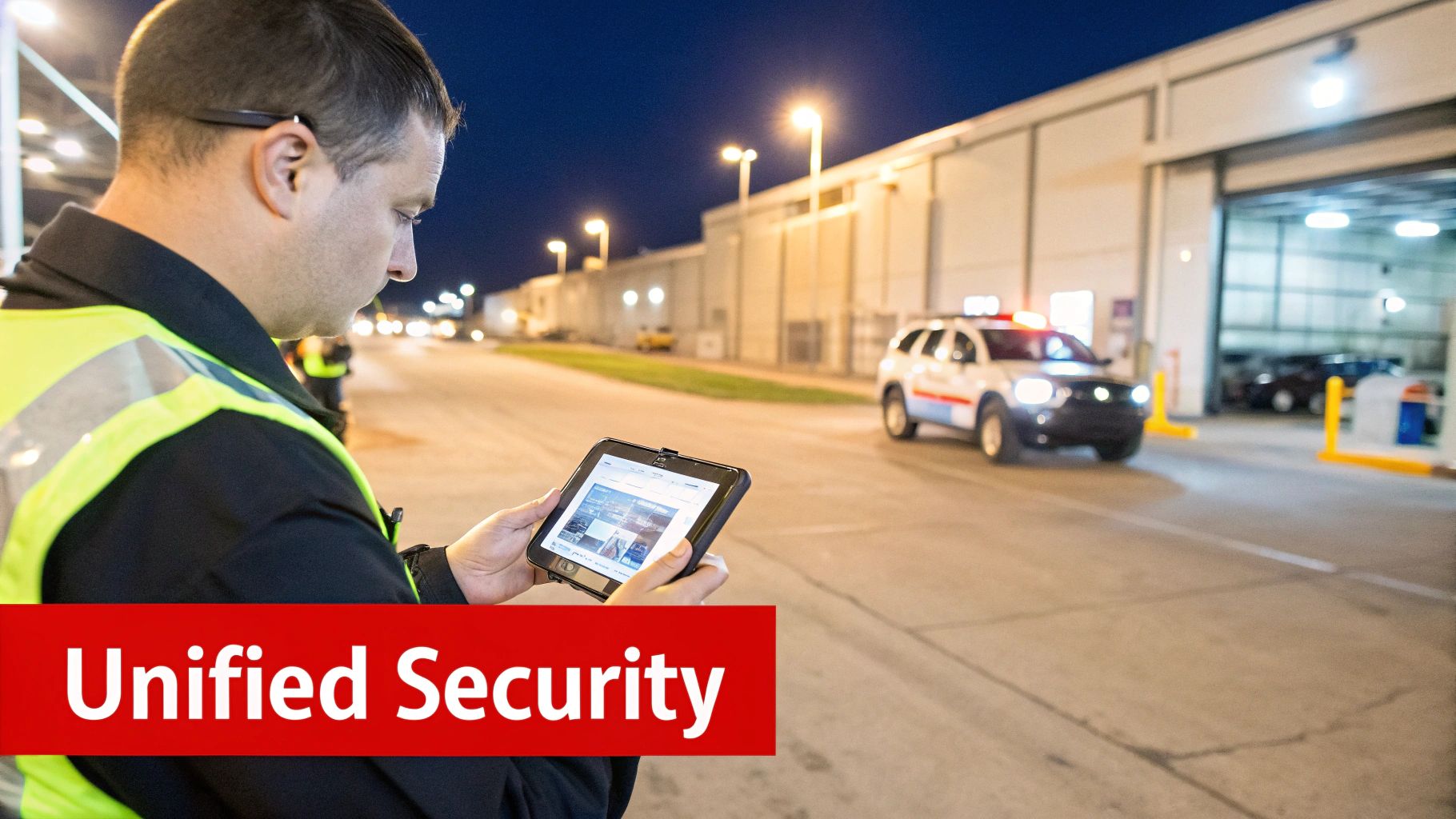
A forced-open door at Dock 3 sets our system in motion.
Within seconds, an officer races toward the breach. GPS guides the patrol while SOC analysts pull up camera feeds and badge logs.
Late Night Alarm Response
“Instant collaboration between officers in the field and SOC analysts stops threats before they escalate.”
Officers scan the door with Overton’s Guard Tour Management System. Each checkpoint is timestamped and GPS-tagged for a clear timeline.
SOC specialists sift live video and system logs. They check for cloned badges or unauthorized entries. If the situation demands it, local responders are called in.
- Rapid dispatch based on geolocation
- Live camera playback for full context
- Automated badge freeze until the incident clears
This fast response ties digital controls to boots on the ground. It highlights how Overton’s hands-on leadership and low manager-to-client ratio keep every checkpoint under watch.
Real-Time Credential Sync
SOC teams thread instant updates back to patrol officers. When a badge raises flags, mobile readers in the field reflect the change immediately.
- SOC detects an anomaly in access logs
- Credential status is updated in the cloud
- Onsite officers receive real-time alerts
- Patrol routes adjust to include the problem area
Compromised badges go dark within 30 seconds, closing gaps before they become threats. Property managers gain confidence in a system that never sleeps.
Key Insight: Overton blends digital controls with physical patrols for layered defense.
Credential data moves securely through APIs into door controllers and mobile apps. Meanwhile, the Security Operations Center keeps watch 24/7.
Read also: Learn more about our SOC functions in our detailed guide on Security Operations Centers.
Leadership And Oversight
At Overton, each site has a dedicated manager who balances on-site visits with virtual check-ins.
- Weekly patrol reviews sharpen routes
- Monthly policy alignments reflect changing risk profiles
- On-demand Q&A sessions keep client teams informed
These routines reinforce accountability. They allow us to adapt plans around night shifts, weekend crews or seasonal traffic.
“Our clients appreciate that we know every door code and every patrol route,” says an Overton regional manager.
Quick feedback loops power continuous improvement. Change a high-value zone’s access hours and both guards and SOC pivot within an hour—never later.
Unified Defense In Action
This integrated model delivers measurable benefits:
| Component | Role In Incident Response | Outcome |
|---|---|---|
| Electronic Access | Trigger alarms and log entry | Instant detection |
| Onsite Patrols | Verify events and secure site | Human judgment on scene |
| SOC Monitoring | Provide context and dispatch help | 24/7 oversight and support |
By weaving electronic access control, GPS-tracked patrols and a staffed SOC into one network, Overton Security offers comprehensive protection. It deters break-ins, shrinks response times and safeguards assets.
Partner with us to see how our integrated access control strategy transforms security on your property.
Ready to elevate your security operations? Schedule a free site survey and live demo with Overton Security experts.
- Step 1: Contact your dedicated security manager to discuss access control requirements
- Step 2: Receive a customized integration plan combining technology and patrols
- Step 3: Watch as SOC and onsite teams deliver continuous protection
Our low manager-to-client ratio means you’ll have a partner focused on your site’s unique needs every step of the way.
Contact Overton Security today to learn more about integrating access control with onsite guards and SOC for total peace of mind.
Visit our website or call us to get started now. Today.
Implementation Checklist And Best Practices For Access Control
If you’re setting up access control for the first time—or aiming to tighten an existing system—this checklist is your north star. It lays out each phase, from initial planning to ongoing upgrades, so nothing slips through the cracks.
Every step reflects Overton Security’s hands-on leadership, low manager-to-client ratio, and dedication to real-time accountability.
Initial Site Survey And Planning
You can’t secure what you haven’t mapped. Grab a digital floor plan or blueprint and take a walkthrough of every door, turnstile, and hallway.
Along the way, sit down with the people who know the site best: facility managers, HOA board members, even your IT leads. Their firsthand observations shape your security zones.
- Permanent Entry/Exit Points
- High-Risk Areas such as data centers or equipment rooms
- Visitor Routes and temporary access zones
“Mapping real habits and traffic patterns prevents gaps in coverage,” says an Overton senior operations manager.
By defining preliminary security zones and assigning access levels now, you’ll save headaches later when picking hardware and software.
Vendor Selection And System Configuration
Choosing a vendor can feel like part tech shopping spree, part strategy session. You want solutions that balance cost, reliability, and room to grow.
Follow these procurement milestones:
- Issue an RFP that captures your site survey findings
- Compare offerings for card readers, biometric scanners, and cloud-based panels
- Check integration capabilities with CCTV, alarm systems, and your SOC
- Confirm hardware warranties and software update schedules
Think of your security system as a layered cake—every ingredient must blend without collapsing.
Once you’ve signed on the dotted line:
- Configure door controllers according to your defined zones
- Set up user roles and access policies in the management console
- Run a small-scale pilot to catch any surprises
“A pilot phase catches misconfigurations before full rollout,” notes an Overton regional manager.
Before rolling out broadly, train onsite guards and admin staff on badge issuance, emergency overrides, and everyday workflows.
Staff Training And Policy Rollout
Even the slickest badge reader won’t help if no one knows how to use it. Tailor training for every role—custodial crews, front-desk staff, facility supervisors.
Mix hands-on workshops with bite-sized digital modules that cover:
- Badge issuance and lifecycle
- Emergency protocols and override procedures
- Daily operational checks
Keep quick-reference guides at each station. And remember, Overton’s 24/7 SOC helpdesk is there to field questions around the clock.
- Regularly test guard response with simulated breach drills
- Update staff on policy tweaks within 48 hours of revision
Leverage our low manager-to-client ratio for frequent site visits and open Q&A sessions.
Maintenance And Continuous Improvement
Installing your system is just the beginning. A robust access control program is a living organism—it thrives on routine check-ins and fine-tuning.
Schedule these best practices:
- Monthly Policy Reviews to adjust access windows and user roles
- Quarterly Credential Audits to deactivate stale badges and expired mobile passes
- Firmware Updates on readers and controllers to patch vulnerabilities
- Redundancy Planning like backup power supplies and failover controllers
Use these metrics to measure ROI and guide your next steps:
| Metric | Purpose |
|---|---|
| Incident Response Time | Track seconds from alarm to guard dispatch |
| Unauthorized Entry Attempts | Count blocked or flagged badge events |
| User Satisfaction Scores | Survey staff and residents quarterly |
| System Uptime | Ensure controllers and cloud panels stay online |
Pull data from Overton’s SOC dashboards and GPS-enabled patrol reports for meaningful analytics.
A data-driven review every quarter highlights trends and pinpoints areas for adjustment.
Build in redundancy checks—secondary cloud panels, offline credential caches—and automate audits with scheduled alerts.
Check out our guide on access control best practices for an in-depth look at policy creation and lifecycle management. This link provides deeper insights into vendor management, advanced analytics and compliance checklists.
By following this roadmap—from survey to continuous improvement—you’ll create a secure environment that adapts as your portfolio grows. Overton Security’s seamless blend of technology and human expertise keeps every checkpoint under careful watch, so you can focus on core business operations.
Frequently Asked Questions About Access Control
What Is the Difference Between Physical and Logical Access Control?
Physical access control is all about the hardware at your door—locks, card readers, and fingerprint scanners that keep unauthorized people out.
Logical access control works behind the scenes, verifying credentials in software, enforcing permissions, and applying security rules in your digital systems.
Together, these two layers form a comprehensive shield, blending real-world and virtual defenses.
What Do I Consider When Selecting An Access Control Model?
Choosing the right model depends on your facility’s footprint, compliance requirements, and how people move through spaces.
For smaller sites, Discretionary Access Control (DAC) hands permission decisions to resource owners.
In larger portfolios, Role-Based Access Control (RBAC) or Attribute-Based Access Control (ABAC) keep policies consistent and adapt to changing contexts.
• Peak User Volume and staff turnover
• Regulatory Requirements, such as HIPAA or GDPR
Mobile Credentials And Key Cards
Can Mobile Credentials Replace Key Cards?
Mobile credentials let you push badges to smartphones, grant one-time passes, and instantly revoke access when someone leaves.
It still pays to keep physical readers—dead batteries and spotty coverage don’t wait for you to swap to mobile.
One university that went mobile-first cut lost badges by 90% while holding onto card scanners at critical checkpoints.
Maintenance And Support
What Ongoing Maintenance Does Access Control Require?
Routine credential audits expose dormant or expired badges and close orphaned accounts before they become a problem.
Applying firmware updates on readers and controllers patches emerging vulnerabilities at their source.
Overton Security wraps these efforts into scheduled health checks, policy reviews, and SOC alerts—so small issues never turn into outages.
• Conduct quarterly credential and policy audits
• Schedule monthly firmware and software updates
• Hold annual staff drills for emergency overrides and incident response
Key Insight
Regular upkeep, clear guidelines, and proactive reviews keep your access control system reliable and resilient.
Ready to tighten your security? Schedule a site survey and system review with Overton Security.