A service vehicle arrives at a loading dock without a scheduled appointment. At the same time, a visitor follows an employee through a secured entrance and heads toward a restricted floor. The front desk team is busy, the access system records only part of what happened, and nobody can immediately confirm who approved either entry.
Property managers and facilities directors deal with variations of this situation every day. Access control procedures have to work during busy deliveries, staff changes, tenant events, contractor visits, and emergency exceptions, not only during a quiet system test. The reliable approach combines clear rules, trained personnel, dependable technology, and active oversight.
Why Access Control Procedures Matter for Property Operations
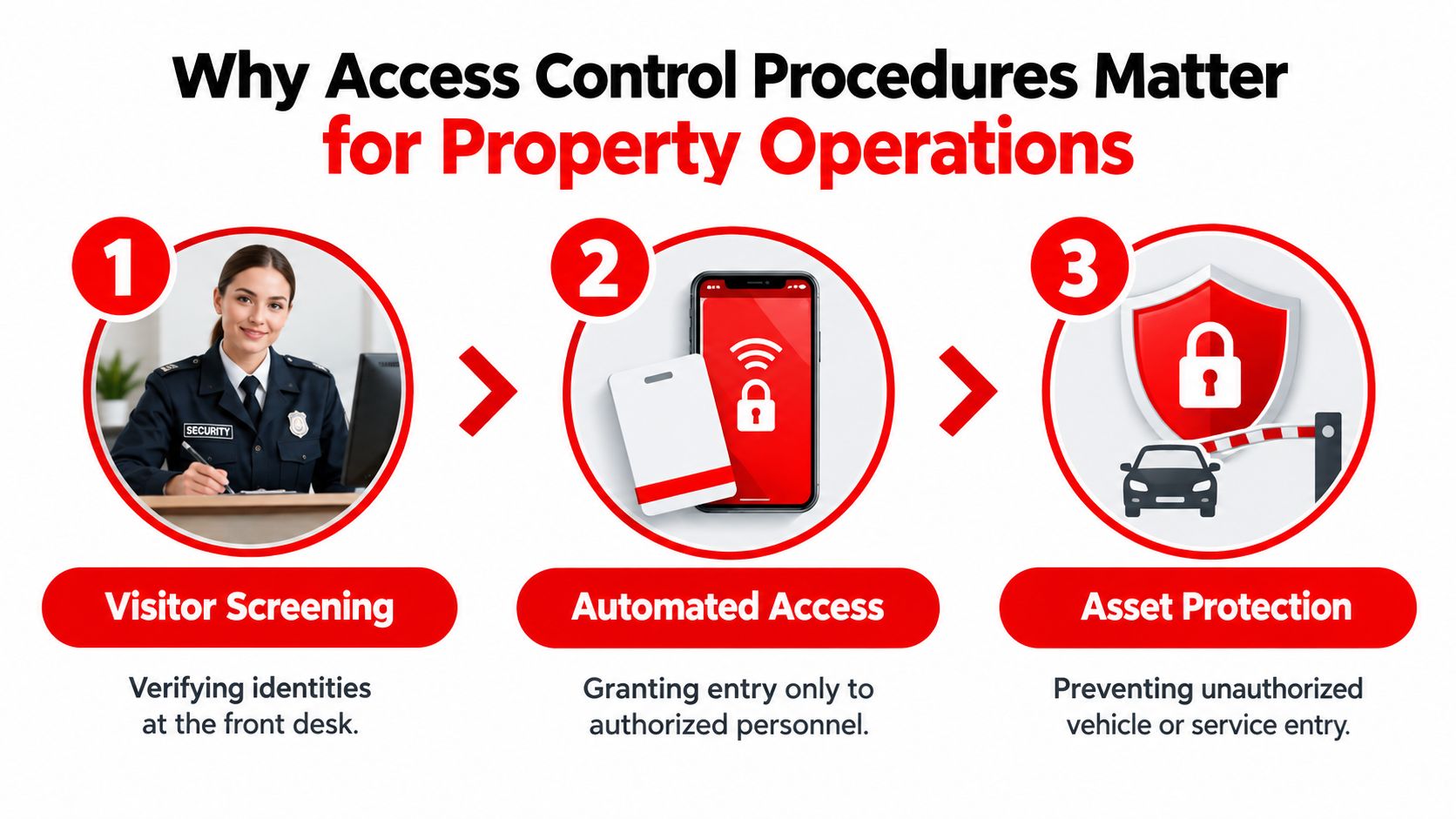
Access control is often treated as a badge, lock, or software purchase. On an operating property, it's a daily workflow that starts before someone reaches the door and continues until that person leaves the site. The team must identify the individual, confirm the reason for access, check authorization, issue the right credential, and record the outcome.
A well-designed procedure also accounts for physical and digital systems. A guard may verify a contractor at a loading dock while a platform checks whether the contractor's credential is valid for that location and time. If either side fails, the property can lose visibility even when the hardware appears to be working.
Security has to support operations
A rigid process that delays every legitimate tenant, employee, or delivery driver will eventually be bypassed. A loose process creates convenience at the expense of accountability. The practical standard sits between those extremes: low friction for expected activity, deliberate verification for exceptions, and clear escalation when an entry doesn't fit the plan.
The NIST history of identity and access management records a major shift toward role-based access control when a NIST research team introduced RBAC in 1992. NIST also notes that an independent economic analysis found RBAC saved U.S. organizations $1.8 billion in 2009 through more efficient access-control policy maintenance. The lesson for property operations is straightforward. Access governance can reduce administrative effort when permissions follow defined roles instead of individual improvisation.
Every entry needs an accountable decision
The procedure should answer practical questions:
- Who is this person? The officer or receptionist verifies identity using the approved method.
- Why are they here? The host, work order, delivery schedule, or tenant record should support the visit.
- Where may they go? The credential and escort rules must match the person's actual assignment.
- When does access end? Temporary permissions should expire or be actively revoked.
- Who reviews the record? A named supervisor or manager should examine exceptions and unresolved events.
For commercial property security in San Jose, a mixed-use building in Los Angeles, or a residential community in San Diego, the same principle applies. The process must be documented, understood by the people enforcing it, and visible enough to support a quick response when something changes. A practical starting point is to review how your site handles access control systems across entrances, garages, loading areas, tenant spaces, and service corridors.
Building the Foundation of Your Access Control System
A dependable system begins with roles, zones, and authorization paths, not with selecting a reader or issuing a card. Start by mapping the property. Mark public areas, controlled areas, and sensitive areas, then identify the people who need access to each zone and the tasks that justify it.
RBAC is useful because it assigns permissions according to job function. An employee, janitorial contractor, delivery driver, and building engineer shouldn't receive identical access because they're all approved to be on-site. Role-based permissions reduce unnecessary exposure and make changes easier when someone changes position or leaves.
Define the operating roles
Write down who performs each action:
- Requester: submits the access request and identifies the business need.
- Approver: confirms that the requested area and duration are appropriate.
- Administrator: creates, changes, or removes the credential.
- Security officer: verifies the person at the point of entry and handles exceptions.
- Supervisor: reviews records, incidents, and unresolved discrepancies.
- Property or facilities manager: owns the procedure and approves material changes.
NIST distinguishes policy from procedure by describing procedures as instructions for implementing controls, directed toward an individual or role. That distinction matters at the guard station. “Visitors must be authorized” is a policy statement. “The officer checks government-issued identification, confirms the host, records the purpose, issues a temporary badge, and calls the host before entry” is an enforceable procedure.
Use the same logic for digital operations. Teams evaluating how network permissions should complement physical controls may find why businesses need NAC useful when separating device or network authorization from building entry. The two controls should support one another, but one shouldn't be treated as a substitute for the other.
Apply least privilege without blocking work
Least privilege means granting only the access needed for the assigned task. A technician working in a mechanical room may need that room and a defined route to it, but not tenant floors or administrative offices. A construction subcontractor may need access during active work hours, while a property employee may require a different schedule and emergency path.
Federal access guidance emphasizes unique user identifiers, deny-all defaults before provisioning, and timely removal of rights. The federal identity management framework also provides a practical benchmark of reviewing access privileges at least every three months, disabling or deleting accounts according to policy, and using phishing-resistant MFA where possible for external or sensitive-network access.
Build those requirements into the site plan and post orders. Your access control for doors should specify what happens when a reader fails, a credential is shared, a person arrives outside the approved window, or an emergency requires temporary access. Exceptions need an owner, an expiration point, and a record.
Managing Daily Entry and Exit Workflows
The entry point is where a written rule becomes visible behavior. A high-rise lobby, retail center, construction gate, and medical office entrance each have different traffic patterns, but all require the same basic sequence: identify, authenticate, authorize, enforce, and audit. ISACA's straightforward access control guide presents that sequence as a practical structure for everyday security decisions.
Start with the schedule. Pre-register expected contractors, recurring vendors, tenant guests, and event attendees when the property's systems support it. Pre-registration won't replace identity verification, but it gives the officer something concrete to compare against when the person arrives.

A practical visitor workflow
For visitors, the process should be consistent enough that a new officer can follow it and clear enough that a guest understands what's happening:
- Verify identity. Check the approved identification method and compare the visitor with the registration record or host confirmation.
- Confirm purpose. Record the host, destination, and reason for the visit. If the visit isn't scheduled, contact the host before granting access.
- Issue a temporary credential. The badge should visibly distinguish the visitor from staff and should reflect the permitted access category.
- Set escort rules. Sensitive areas may require an escort, while other areas may allow limited unescorted movement under defined conditions.
- Notify the host. The host should know when the visitor arrives and where the visitor is authorized to go.
- Close the record. At departure, collect or deactivate the temporary credential and record the exit.
Facility-security guidance from Vector Security's visitor management guide describes these mechanics, including identity verification, temporary badges, escort rules, detailed entry and exit logs, advance registration, and badge deactivation at checkout.
Contractors, employees, and deliveries
Contractors need more than a name on a list. Confirm the company, work order, approved area, and responsible contact. For construction site security, the gate officer should also know which vehicles, tools, or material deliveries are expected and what to do when the load or destination doesn't match the schedule.
Employees should use individual credentials and follow anti-tailgating rules. Don't allow one person to hold a secured door open for an unknown individual because the person appears to be part of the same group. A polite challenge, followed by a clear escalation path, protects the property without creating unnecessary confrontation.
Delivery workflows need a designated location and decision maker. If a driver arrives after hours, the officer should know whether to deny entry, contact the receiving department, direct the driver to a holding area, or accept the delivery under a documented exception. The system should capture the decision, not just the eventual door opening.
Auditing and Validating Security Controls
A policy can look complete and still fail at the property. Audits that check only whether a document exists may miss shared credentials, unlogged visitors, propped doors, expired contractor access, and officers who skip escort requirements during busy periods. Effective reviews test what people and systems really do.
OWASP identifies broken access control as a widespread application security failure. Its 2021 data reports that 94% of applications were tested for some form of broken access control, with an average incidence rate of 3.81%, 318,487 total occurrences, and 19,013 CVEs in the contributed dataset, as documented in OWASP's Broken Access Control guidance. Those figures concern application environments, but the operational lesson also applies to physical sites: authentication at the perimeter doesn't prove that every object, room, function, or exception is protected correctly.
Test behavior, not paperwork
A behavioral audit might include:
- Access sampling: Compare active credentials with current roles, assignments, and termination records.
- Entry observation: Watch whether officers verify identity, confirm authorization, issue visible badges, and record the visit.
- Exception testing: Present an unscheduled delivery or an expired credential and verify that staff follow the escalation process.
- Exit validation: Confirm that visitor checkout closes the record and that temporary access no longer works.
- Path testing: Check object-level and function-level permissions in connected applications, rather than relying only on login success.
- Incident review: Compare reports, camera footage, access events, and officer notes for the same event.
Schedule access reviews on a fixed cadence. The U.S. Department of Labor cybersecurity guidance provides a practical benchmark of reviewing privileges at least every three months, along with account removal and MFA expectations. That cadence should be supplemented by event-driven reviews after role changes, tenant turnover, contractor completion, system changes, or an incident.
Practical rule: If an officer can't explain what happens when a credential is lost or a visitor refuses to check out, the procedure isn't operationally ready.
Physical environments also introduce hazards that a standard access review may overlook. For construction and facilities teams, TP Training's scaffolding safety guide offers useful context for thinking about controlled work areas, site responsibilities, and safe movement around temporary structures. Access control should protect those work zones while supporting the safety plan, not operate as a disconnected badge exercise.
Integrating Human Expertise with Smart Technology
Technology provides consistency, but it doesn't replace judgment. A reader can deny an invalid credential, and a dashboard can show an unusual access event. A trained officer still has to decide whether the person is confused, testing the boundary, responding to an emergency, or attempting to bypass the process.
The most useful architecture connects the physical site with operational oversight. GPS-enabled patrol systems can verify that officers visited assigned checkpoints. Digital daily activity reports can attach time-stamped notes and photographs to patrol activity. A security operations center can monitor alerts, support field officers, conduct wellness checks, and escalate incidents when local staff need assistance.
Give officers useful information
A guard at a loading dock needs more than a general instruction to “control access.” Post orders should identify approved delivery windows, restricted routes, tenant contacts, emergency contacts, badge rules, and escalation thresholds. The officer should also know which decisions they can make independently and which require supervisor approval.
Smart building environments can connect access control with cameras, intrusion detection, elevators, parking systems, and building management tools. Teams exploring that broader model can use Waymap's overview of internet of things smart buildings to understand how connected systems may coordinate property operations. Integration can improve visibility, but it also increases the importance of clear ownership, reliable data, and tested fallback procedures.
A sensible division of labor looks like this:
- Technology records and enforces: credentials, schedules, door states, alerts, and audit trails.
- Officers interpret and respond: identity questions, unusual behavior, conflicting instructions, and physical conditions.
- Supervisors verify performance: reports, patrol completion, exception handling, and corrective coaching.
- Managers improve the system: permissions, post orders, staffing, training, and vendor coordination.
Overton Security is one example of a provider combining onsite officers with GPS-enabled patrols, digital reports, and 24/7 SOC oversight. Its access control specialist services can fit properties that need both technology management and trained personnel at the point of entry.
Creating a Secure and Welcoming Environment
Good access control doesn't make every person feel suspected. It makes the expected path obvious, keeps legitimate movement efficient, and gives staff confidence when an exception appears. A resident should know where guests check in. A retail employee should understand how to challenge a tailgater. A contractor should receive clear instructions before arriving at the gate.
The experience depends on consistency. A professional officer who recognizes recurring tenants, communicates calmly with visitors, and follows the same approval standard for every contractor creates more trust than a system that works quickly but unpredictably. Technology supports that experience by reducing manual repetition and preserving accurate records, while people handle context and communication.
Design for the property you operate
A residential high-rise may prioritize concierge service, visitor elevators, garage access, and resident privacy. A retail center may focus on service corridors, loading docks, after-hours deliveries, and customer flow. A healthcare or medical office property needs careful coordination around staff, patients, vendors, and restricted clinical areas. A construction site needs a clear perimeter, material accountability, and access rules that change as work progresses.
Across those environments, the strongest procedures share several qualities:
- They're specific: Staff know who approves access, what to verify, and where to document it.
- They're usable: The process works during peak traffic, staffing changes, and equipment outages.
- They're auditable: Managers can connect credentials, entries, reports, and exceptions.
- They're maintained: Role changes and completed work trigger access updates.
- They're supported: Officers receive training, supervision, and practical post orders.
That last point is often overlooked. A property can buy reliable readers and still experience weak control if officers are unsupported, procedures are unclear, or managers don't review what happens on-site. Overton Security has operated for 26 years, with a stated focus on quality over quantity, hands-on leadership, a low manager-to-client ratio, officer retention, and real-time accountability systems. Those operating choices matter because access control is performed by people as well as systems.
Property managers should walk the full access journey, from the first visitor request to final checkout, and test it under normal and exceptional conditions. If the workflow protects assets without making tenants and visitors work around it, you've built security that supports the property instead of competing with it.
Overton Security provides onsite security officers, unarmed guards, concierge security, vehicle patrols, remote monitoring, and access control support for commercial, residential, retail, healthcare, construction, and industrial properties across California. Visit Overton Security to discuss a site-specific access control program with trained personnel, customized post orders, digital reporting, GPS-enabled patrol oversight, and 24/7 SOC support.